
Key points in brief
For games running at 30 or 60 frames, a projector with HDMI 2.0 and a game mode with low input lag – i.e. a short input delay – is enough for the standard PS5. Two further features come on top, each with its own benefit: 120 Hz output via HDMI 2.1 pays off in titles that offer it – such as Fortnite or Gran Turismo 7. VRR works independently of that, namely when the frame rate fluctuates, as long as it stays within the console’s supported range. For the picture itself, contrast, tone mapping (how brightness is distributed across the image) and image size also count.
Check at which resolution the manufacturer measures its ms value. The same projector can need 4 ms in Full HD and 16 ms in 4K – and on a console you will mostly be playing in 4K.
What do you need when?
| Your situation | Sensible features | Where to find it |
|---|---|---|
| Standard PS5 or Series S, games at 30 to 60 frames | HDMI 2.0 and a game mode whose value is documented at 4K/60 – some entry-level devices lack exactly this specification | Entry level |
| PS5 or Series X, HDR should be visible | plus dynamic tone mapping | Mid-range |
| PS5 Pro on a large screen | strong HDR, more positioning flexibility | Upper class |
| Regularly playing titles that use 120 Hz output – or a gaming PC on the same device | HDMI 2.1 with 120 frames in 4K as output; this starts in the upper class | Upper class and high-end |
| Living room with ambient light, but no constant daylight | Laser TV plus CLR screen | Device classes |
| Room stays bright all day | Television | Device classes |
The reasoning behind each feature follows further down, along with the price tiers with documented input lag values and the comparison with the Sony Bravia TV.
On this page
- What does a projector need for the PS5?
- How fast does the game mode need to be – and at what resolution?
- Which price tier suits which requirements?
- What do HDMI 2.1, 120 Hz, VRR and ALLM bring to the console?
- The feature ladder: which features are worth the extra cost?
- PS5 or PS5 Pro on a projector: what really changes?
- Xbox Series X and Series S: which projector suits them?
- Which device class suits your room?
- Laser TV: what are the advantages of ultra short throw?
- If it ends up being a TV after all: Sony Bravia with the PS5
- Positioning and accessories: what else determines the gaming picture
- Special case: games with a fixed frame rate
- Frequently asked questions
- Would you like advice?
What does a projector need for the PS5?
A projector for the PS5 needs four things: an HDMI input that accepts 4K/60 with HDR (version 2.0a or later), a game mode with low input lag, contrast that doesn’t turn night scenes grey, and an image size that suits the seating distance and the room. HDMI 2.1 only comes into play if you want to play 4K at 120 frames per second.
The PS5 outputs a maximum of 4K at 120 Hz, but only where a title supports this output mode. Since the 2022 system update it has also supported VRR in the 48 to 120 Hz window, ALLM and 1440p output.
So ask first about the console and seating distance, not about hertz: the image size the room can take determines the contrast and brightness required – and both matter more for 30 and 60 fps titles than any refresh rate.
How fast does the game mode need to be – and at what resolution?
No more than 25 ms at 4K – that is our house rule, not a standard. A projector that meets it in game mode is sufficient for games at 30 or 60 fps. For context: at 30 fps there are 33 ms between two frames; the projector’s share of the total delay is then smaller than the game’s frame interval, but it adds to the processing time of the console and controller.
A latency figure without a signal mode says little – within the same device, the values vary widely:
| Model | advertised best value | 1080p/120 Hz | 4K/60 Hz |
|---|---|---|---|
| BenQ X3100i | 4 ms (1080p/240 Hz) | 8 ms | 16 ms |
| BenQ TK710 | 4 ms (1080p/240 Hz) | 8 ms | 16 ms |
| Optoma UHZ58LV | 8.5 ms (1080p/240 Hz) | 12.5 ms | around 20 ms |
| Acer Vero HL6810 | 4.2 ms (no signal mode stated) | – | not stated |
The last column is what counts when buying, because a console usually outputs 4K/60; the advertised best value comes from a 240 Hz mode that nothing on the console outputs. For the TK710, the same 8 ms is listed for 1080p/120 Hz and for 2K/120 Hz – there the resolution makes no difference to the value. Even so, the 4K value cannot be extrapolated: between the best value and 4K/60 there is a factor of four on the X3100i and a good factor of two on the UHZ58LV. If a data sheet, like Acer’s, names no signal mode at all, it remains unclear what the figure refers to; ask us and we will check the manual.
This table gives the 4K value where the data sheet states it, and otherwise the corresponding resolution:
| Input lag in game mode | Rating | Suitable for | Models from our range |
|---|---|---|---|
| under 16 ms | excellent | competitive shooters, e-sports | JMGO N3 Ultimate 10 ms at 4K; ViewSonic X1-4KE Pro 4.2 ms at 1440p/120 Hz; Optoma HZ41 8.6 ms at 1080p/120 Hz (Full HD projector) |
| 16 to 25 ms | very good | action, racing, sport, open worlds | BenQ X3100i and BenQ TK710 16 ms each at 4K, BenQ TK710STi 16.7 ms, Hisense PT1 20 ms, Nebula X1 Pro 20 ms |
| 26 to 35 ms | good | role-playing and adventure games where milliseconds don’t matter | Optoma Photon Go 27.1 ms (Full HD projector, manufacturer specification without resolution) |
In short: Input lag is a prerequisite, not a ranking – it has to fall into the right class; after that, throw ratio, brightness, contrast and connections decide whether the picture works in your room every evening. Whether ten milliseconds more or less are noticeable depends on the game: more likely in a competitive shooter, rarely in a racing game on the sofa.
Speaking of shooters: the BenQ X3100i has an overlay crosshair in its picture menu, either as a cross or an X, which can be positioned freely with the arrow keys – handy for titles that don’t display one themselves.
Tell us the model you have your eye on – even one you found elsewhere. We will check the data sheet and tell you what the advertised figure refers to and what is left of it at 4K: Have a model checked →
Keystone correction can cost input lag: Digital keystone correction recalculates every frame before output; how much this affects input lag depends on the model, and some devices switch it off completely in game mode. How to avoid this is explained under Positioning and accessories.
Which price tier suits which requirements?
The price tier is determined not by the console but by what you want to see: is 4K/60 enough, or do you also want HDR, positioning freedom and 120 frames per second? For each tier, the table lists the projectors and laser TVs from our range with their documented gaming features. The classification is in the first column; you can see the current price on the respective product page.
| Price tier | Suitable for | Projectors and home cinema projectors | Laser TV (ultra short throw) |
|---|---|---|---|
| Entry level, under €1,000 | 4K/60 with a fast game mode, plus a portable Full HD alternative (standard PS5, Series S) |
Acer Vero HL6810: 4.2 ms without resolution stated, ALLM, 4,000 lumens, lens shift BenQ GP520: ALLM, HDMI 2.1, Google TV, LED light source rated at 20,000 hours |
Optoma Photon Go: 27.1 ms (without resolution stated), Full HD, battery, 650 ISO lumens |
| Mid-range, €1,000 to €2,500 | Laser light source, plus ALLM or VRR – which of the two depends on the model (PS5, Series X) |
Optoma UHZ58LV: around 20 ms at 4K/60, ALLM, HDMI 2.1, lens shift, 3,000 lumens BenQ TK710: 16 ms at 4K, laser, 3,200 lumens JMGO N3 Ultimate: 10 ms at 4K, VRR from 48 to 240 Hz, Dolby Vision, triple laser with 5,800 lumens, two HDMI 2.1 inputs |
Hisense PT1: 20 ms at 4K, 2,500 lumens Hisense PX3-Pro: VRR, ALLM, 3,000 lumens AWOL Vision Aetherion Pro: VRR, ALLM, dynamic tone mapping, 2,600 ISO lumens |
| Upper class, €2,500 to €5,000 | stronger HDR and more positioning flexibility (PS5 Pro) |
BenQ W4100i: ALLM, HDMI 2.1 (outputs 120 frames in Full HD), lens shift, 3,200 lumens Epson EH-LS12000B: HDMI 2.1, 120 frames in 4K, motorised lens shift |
Epson EH-LS970W: ALLM, 4,000 lumens, Google TV, Bose sound AWOL Vision Aetherion Max: VRR, ALLM, dynamic tone mapping, 3,300 ISO lumens |
| High-end, over €5,000 | 120 frames in 4K or native 4K premium cinema (PS5 Pro, Series X) |
Epson EH-QB1000B: 120 frames in 4K, ALLM, HDMI 2.1 JVC DLA-NZ800: native 4K (D-ILA), 120 frames in 4K, Frame Adapt HDR, 8K display via e-shiftX Sony VPL-XW6100: native 4K (SXRD), 120 frames in 4K, ALLM, XR Dynamic Tone Mapping |
– |
In a nutshell: Moving up the tiers, it is not the brightness that increases but the features – the entry-level Acer, at 4,000 lumens, is brighter than some more expensive devices. The real decision lies between mid-range and upper class: is 4K/60 with a fast game mode and a laser light source enough for you, or do you want stronger HDR and more positioning freedom? Genuine 120 frames in 4K are available from the upper class, specifically via a model from step 5 of the feature ladder, and only with titles that use such output. All models with a game mode are listed in the overview Gaming projectors.
An example of how the tiers play out in a room: PS5, darkened games room, 3.6 m seating distance, a 120" image size (approx. 3 m) is wanted. Because the room is darkened, the brightness mainly has to serve the image area and the screen, not ambient light; contrast and the value at 4K/60 also count. The BenQ TK710 from the mid-range meets the latency requirement at 16 ms. If, on the other hand, the projector is in a room where it often has to change the image position, the motorised lens shift of the upper class is the argument – not more speed.
What do HDMI 2.1, 120 Hz, VRR and ALLM bring to the console?
On the signal side, the four consoles are close together; the differences lie in HDR and in the resolution they render internally. The profile shows what each one outputs.
| Console | Maximum output | VRR | ALLM | HDR when gaming |
|---|---|---|---|---|
| PS5 | 4K with 120 Hz output where a title supports it, otherwise 4K/60; 1440p possible | yes (48 to 120 Hz) | yes | HDR10 |
| PS5 Pro | as PS5, plus PSSR upscaling (PlayStation Spectral Super Resolution); additionally an 8K signal output (limitations on 8K compatibility) | yes (48 to 120 Hz) | yes | HDR10 with improved HDR performance |
| Xbox Series X | 4K at 120 frames | yes | yes | HDR10, Dolby Vision Gaming |
| Xbox Series S | outputs up to 1440p at 120 Hz, 4K via upscaling; how much it renders internally depends on the title | yes | yes | HDR10, Dolby Vision Gaming |
In a nutshell: All four run on a 4K projector whose HDMI 2.0 input accepts 4K/60 with HDR; HDMI 2.1 is only needed for 4K at 120 frames. The only special rule: if you want to use the Series S at 1440p/120, you need a projector that accepts 1440p at 120 Hz.
What does HDMI 2.1 mean for the projector?
HDMI 2.1 is an interface standard with up to 48 Gbit/s of bandwidth, and only this order of magnitude can carry 4K at 120 frames per second. How much of it an individual device actually uses is stated in the data sheet. HDMI 2.0 manages 18 Gbit/s and therefore 4K/60 – HDR has been part of it since version 2.0a; HDMI 1.4 ends at 4K/30. However, an HDMI 2.1 input alone does not mean that the 120 frames actually reach the screen in 4K: it only says how much signal may arrive, not what the projector does with it. Our projector A–Z entry on HDMI 2.1 explains the standard.
When does a projector really show 120 frames in 4K?
Only when the data sheet lists them as output. Many DLP projectors accept the signal but internally display 60 frames (frame skipping) or output the 120 frames in Full HD. According to its data sheet, the BenQ W4100i, for example, delivers smooth 120 frames in Full HD and also accepts the 4K signal for this. The Epson data sheet for the EH-QB1000B shows what an unambiguous specification looks like: 120 frames in 4K and ALLM are listed together. Step 5 of the feature ladder lists the devices in our range that also achieve this.
Further models were announced at IFA 2026; as soon as their data sheets are available and the devices are listed, this list will grow. If in doubt, just ask – we will check the latest status.
The trade-off works the other way round too. The BenQ X3100i, TK710, W4100i and GP520, Acer Vero HL6810 and Optoma UHZ58LV even manage 240 Hz in Full HD. That brings nothing on PS5 and Xbox, both of which output a maximum of 120 frames; with a gaming PC on the same projector, it is a real argument.
What happens to the PS5 Pro’s 8K output?
According to the data sheets, exactly two devices in our range accept an 8K signal: the JVC DLA-NZ800 and the DLA-NZ900. They display it via e-shiftX; natively both are 4K. Whether the Pro’s 8K output actually works with them also depends on signal compression (DSC) and has not been tested by us. For gaming this is no reason to buy – rendering takes place below 8K anyway, and everyday use on the Pro is defined by 4K and the frame rate.
What does VRR bring to the PS5?
VRR (Variable Refresh Rate) continuously adjusts the projector’s refresh rate to the game’s frame rate and prevents screen tearing when the frame rate fluctuates. The PS5 uses VRR in the 48 to 120 Hz window; if a game with a fixed 30-frame limit falls below that, VRR brings correspondingly little. The JMGO N3 Ultimate, at 48 to 240 Hz, shows how wide such a window can be; the other VRR-capable devices are listed in step 4 of the feature ladder. The term is explained in the projector A–Z entry on VRR.
What does ALLM do in everyday use?
ALLM (Auto Low Latency Mode) lets the console switch on the game mode itself: when a game starts, the PS5 or Xbox signals the projector to switch to its low-latency mode; what the projector switches off in the process is determined by its game mode. ALLM does not replace a fast game mode, it just saves you reaching for the remote. Examples are listed in step 2 of the feature ladder – the list there is a selection; considerably more devices in our range offer ALLM.
Cables: For 120 frames in 4K you need a cable rated at 48 Gbit/s (Ultra High Speed, certified); which cable is sufficient for 4K/60 and from what length an optical HDMI cable becomes necessary is explained under Positioning and accessories.
The feature ladder: which features are worth the extra cost?
The ladder ranks the features by priority, not by equipment packages: step 1 is mandatory, and each further step is worthwhile as soon as your gaming habits call for it. A device on step 4 does not automatically include the lower steps, which is why the model column lists separate examples for each step. What the features mean technically is explained in the section above; here it is only about the decision on the extra cost. On the right, each step leads to the Bravia comparison, where the TV equivalent is described in detail.

| Step | Feature | What you notice when gaming | Projector and laser TV | Television (Sony Bravia) |
|---|---|---|---|---|
| 1 | Game mode with low input lag (house rule: up to 25 ms at 4K) | The projector’s additional share of the delay stays small; the most important value for 30-frame titles | Values per model in the rating table | Sony does not state latency values for the Bravia ranges, only features (comparison) |
| 2 | ALLM | The game mode switches on automatically when a game starts | BenQ GP520, Optoma UHZ58LV, Hisense C2 PRO, Epson EH-LS970W, AWOL Aetherion Pro and Max | see Bravia comparison |
| 3 | HDR10 with dynamic brightness distribution | Neon signs glow without dark alleyways being crushed to black | both AWOL Aetherion models, Nebula X1 Pro (HDR AI Tone Mapping), JMGO N3 Ultimate (Dolby Vision; whether it processes HDR10 dynamically is not stated), JVC DLA-NZ800 (Frame Adapt HDR), Sony VPL-XW6100 (XR Dynamic Tone Mapping) | see Bravia comparison (different mechanism: Auto HDR Tone Mapping) |
| 4 | VRR | No screen tearing when the frame rate fluctuates | JMGO N3 Ultimate, Hisense PX3-Pro, AWOL Aetherion Pro and Max | see Bravia comparison |
| 5 | HDMI 2.1 with 120 frames in 4K as output | Sharper motion in titles that use 120 Hz output | Epson EH-LS12000B and EH-QB1000B, JVC DLA-NZ800 and DLA-NZ900, Sony VPL-XW6100 | see Bravia comparison |
What this means: Step 1 covers the latency requirement of the standard PS5 and Series S; step 2 merely automates switching into this mode. HDMI standard, contrast and image size come on top from the basics further up. Step 3 brings the biggest visible gain as soon as HDR is involved; steps 4 and 5 only pay off with the right gaming habits.
Why step 3 makes such a difference. HDR content is mastered to brightness levels that a TV can reach; a projector spreads its light over a much larger area and cannot get there. It therefore has to translate the values into what it can do – that is tone mapping. A fixed curve calculates the same way for every scene, whether midday sun or an alleyway at night. Dynamic tone mapping recalculates frame by frame and uses the brightness where the scene needs it at that moment.
PS5 or PS5 Pro on a projector: what really changes?
On the hardware side, three things change: PSSR upscaling, a more powerful graphics unit and the 8K signal output, for which only two devices in our range accept an 8K signal at all. The CPU remains the same as in the standard PS5; the graphics unit is more powerful. Where a game is limited by the graphics, the Pro can therefore deliver higher or more stable frame rates; where it is limited by the CPU, it cannot. Whether a game runs faster depends on whether it offers a corresponding mode on the Pro.
The gain lies in picture quality, and whether it materialises is decided by the game: PSSR only sharpens the image where a studio uses it. A title that does not use the Pro’s reserves looks hardly any different on it than on the standard PS5 – especially with games with a fixed frame rate. Where PSSR does kick in, however, the gain pays off above all on large surfaces: at 120 inches the image is around 1.5 m high, and fine details are more noticeable there than on desk-sized diagonals. The larger your screen and the closer you sit, the more worthwhile the Pro becomes.
A suitable projector for the PS5 Pro: upper class with HDMI 2.1 and strong HDR, such as the BenQ W4100i or Epson EH-LS12000B, or as a laser TV the two AWOL Aetherion models. If you want to make the most of titles with 120 Hz output, choose a device specifically from step 5 of the feature ladder; this is already available in the upper class.
Console and PC on the same projector: Pay attention to the number of HDMI 2.1 inputs. The JMGO O2S Ultra has two HDMI 2.1 inputs, the Optoma UHZ58LV one 2.1 and two 2.0 inputs; this way the PS5 Pro and a gaming PC can be connected to the projector at the same time without swapping cables.
Xbox Series X and Series S: which projector suits them?
Which projector suits the Xbox Series X?
The Series X outputs 4K at 120 frames and supports VRR, ALLM and Dolby Vision Gaming. Dolby Vision only pays off if the display device processes Dolby Vision: the Hisense C2 PRO, Hisense PX3-Pro and JMGO O2S Ultra do, as do the Bravia TVs. Hisense also lists the PX3-Pro as an Xbox-certified laser TV with VRR and ALLM.
For 4K/60 with HDR, the same applies as with the PS5; the mid-range with the Optoma UHZ58LV, BenQ TK710 or JMGO N3 Ultimate is the right tier. On the Series X, too, only the devices from step 5 output 120 frames in 4K.
Is a Full HD projector enough for the Xbox Series S?
Yes. The Series S outputs up to 1440p at 120 Hz and 4K via upscaling; how much it renders internally depends on the title. Its picture benefits most from a fast game mode. The ViewSonic X1-4KE Pro matches this output mode most closely: 4.2 ms at 1440p and 120 Hz. The fact that it only has HDMI 2.0 is no drawback – 1440p at 120 frames does not need 2.1. A Full HD alternative is the Optoma HZ41 with 8.6 ms at 120 Hz and 4,400 ANSI lumens; the Acer Vero HL6810 offers more features with 4K, ALLM and lens shift.
Which device class suits your room?
This question does not depend on the console. The PS5, PS5 Pro, Series X and Series S place the same demands on projectors, laser TVs and televisions – low input lag, clean tone mapping, enough image area. What tips the balance is the room, and above all one factor: how much light remains in it while you play.
| Your room | Class | Sensible image size | What it requires |
|---|---|---|---|
| can be darkened, space on the ceiling or rear wall | Projector, selection: Gaming projectors | from 100 inches; the image size grows more cost-effectively than with the other classes, but the screen comes on top | Light control. If ambient light remains in the room, the contrast drops noticeably – a contrast screen helps here (Positioning and accessories) |
| Living room with ambient light, console on the TV unit, no ceiling mounting possible | Laser TV, selection: Gaming laser TV, basics in the laser TV overview | around 100 inches | a CLR screen; with a laser TV it is part of the device, not an accessory |
| stays bright during the day | Television, models in the Bravia comparison | 65 to 85 inches, our range goes up to 98 | the least: of the three classes, the TV achieves the highest peak brightness for HDR. From around 85 inches, the price rises steeply |
Our guide Projector or TV offers a detailed class comparison including costs and the effect on the room.
Verdict: For console gamers with a room that can be darkened and a wish for 100 inches and more, a projector is the best fit. The idea that a big picture will then dominate the living room is not necessarily true: a motorised screen retracts into its housing on the ceiling after gaming, and with a laser TV a floor-rising scissor screen does the job, rising up in front of the wall. In both cases you have a big picture in the room in the evening, of which nothing can be seen during the day.
And if there is no room for it at all: A battery projector such as the Optoma Photon Go frees up the projector’s location – garden, holiday home, children’s room, no mounting required. The console still needs power, though, and image size and contrast fall short of a fixed device. As a second screen for a summer evening this works well; as your only gaming device, rarely.
Laser TV: what are the advantages of ultra short throw?
The fact that it does without ceiling mounting is already shown in the matrix above. Two further advantages come on top, and both affect everyday life more than the data sheet: because the light comes from below, it is less likely that someone walking to the fridge gets in the way. And it handles the light in the room differently.
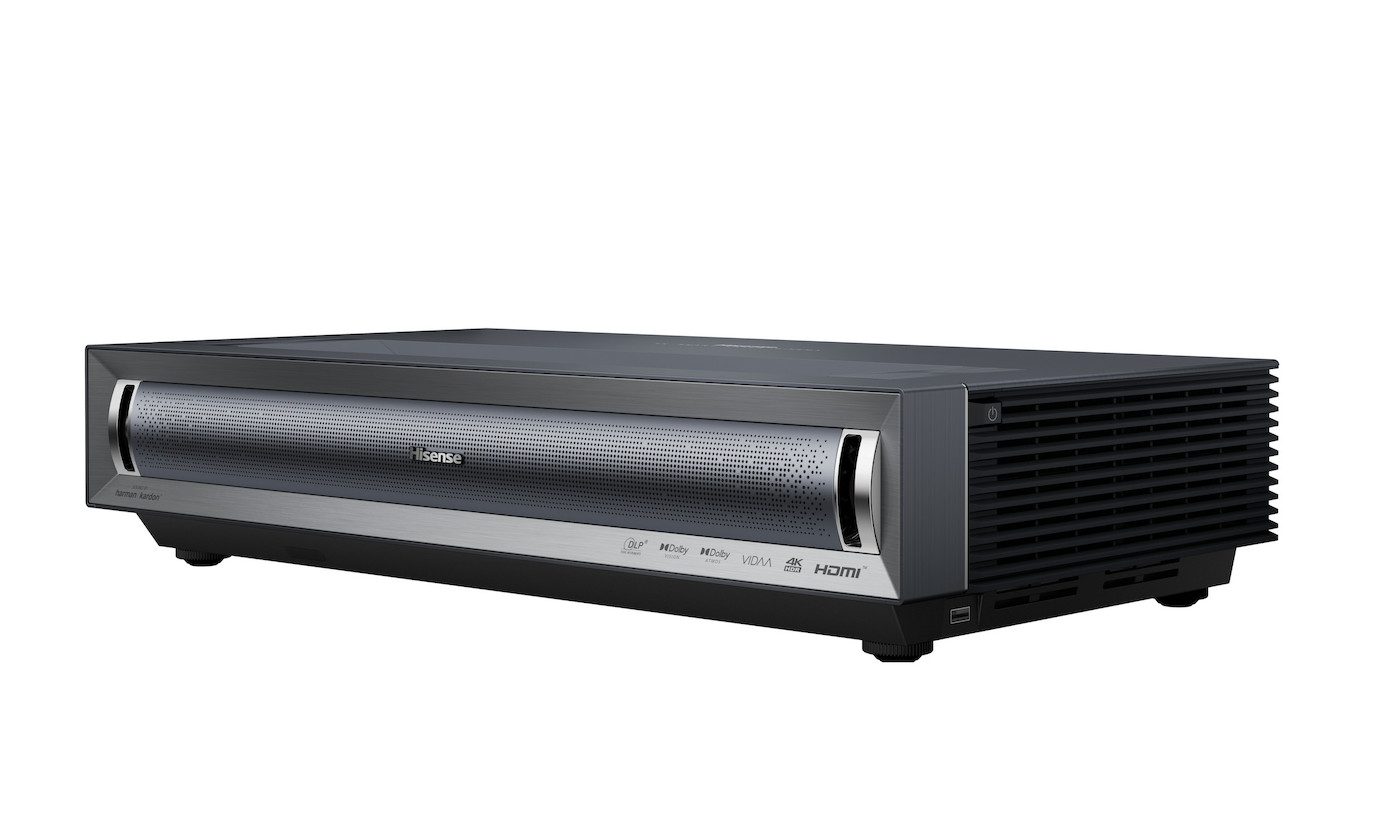
With a laser TV, the screen plays a part in determining the gaming picture. A CLR screen for laser TV, for example from celexon, has a fine sawtooth structure: its underside reflects the projector light coming from below towards the sofa, while the black upper side absorbs the light from the ceiling lamp. This reduces the loss of contrast caused by light from above; how much of it remains depends on ambient light, image size and projector brightness. On a white wall, the same gaming picture is reserved for a darkened evening.
Otherwise, the same things count for the console as with a projector: game mode, ALLM, tone mapping. For the devices named in the feature ladder, it states which of these functions they support; for the others, we will tell you on request. The Hisense PT1 comes in at 20 ms at 4K. For bright living rooms, the Epson EH-LS970W with 4,000 lumens is the brightest choice; the JMGO O2S Ultra serves a console and a PC at the same time with two HDMI 2.1 inputs. All laser TVs with a game mode are listed in the overview Gaming laser TV.
If it ends up being a TV after all: Sony Bravia with the PS5
Sony tunes its Bravia TVs to the PS5: Auto HDR Tone Mapping lets the console calibrate the HDR settings itself when first connected, and Auto Genre Picture Mode switches between game and film picture depending on the content. According to the data sheets, all four series support both functions; the differences lie in the panel and in the 120 frames.
| Series | Panel | Sizes in inches | 120 frames in 4K | VRR | ALLM | For the console |
|---|---|---|---|---|---|---|
| Sony Bravia 3 | LED, 60 Hz | 43 · 50 · 55 · 65 · 75 · 85 | no, 4K/60 | no | yes | Dolby Vision for games, eARC, PS Remote Play |
| Sony Bravia 5 | Mini LED | 98 | yes | yes | yes | Dolby Vision for games, Game Menu 2, PS Remote Play |
| Sony Bravia 8 | OLED, 120 Hz | 55 · 65 · 77 | yes, on HDMI 3 and 4 | yes, on HDMI 3 and 4 | yes, on all four | Dolby Vision game mode, SBTM, eARC |
| Sony Bravia 8 II | QD-OLED | 55 · 65 | yes | yes | yes | Dolby Vision in games, Game Menu 2, PS Remote Play |
Two footnotes to the table: on the Bravia 8, the fast inputs are HDMI 3 and 4 – connected to HDMI 1 or 2, the console stays at 60 frames without any message pointing this out. And the 200 or 240 Hz advertised for the Bravia 3 (Sony calls it Motionflow) is frame interpolation, not signal acceptance: the panel remains at 60 Hz. The Bravia 5 and 8 II unlock VRR with current PS5 system software.
Conclusion for the console: For 120 frames in 4K and VRR on the PS5, the Bravia 5, 8 and 8 II are the options; the Bravia 3 is the entry level with 4K/60, ALLM and the same PS5 automatic HDR and picture mode settings. If you want to get close to 100 inches with a TV, you end up with the 98-inch Bravia 5; if you want more area, a projector is the right choice.
Positioning and accessories: what else determines the gaming picture
None of these points appears in the console menu.
- Position at right angles, lens shift instead of keystone correction: Digital keystone correction costs sharpness and can cost input lag (see standard PS5). Lens shift moves the image optically; the Acer Vero HL6810, Optoma UHZ58LV and BenQ W4100i have it. Right angles means above all: a fixed position, aligned once. A sturdy shelf or sideboard will do just as well as a projector ceiling mount or a wall mount.
- Check the game mode once, even with ALLM: ALLM only signals the projector to switch to low-latency mode. Check once in the projector menu that frame interpolation and noise reduction are switched off in game mode, otherwise the projector will keep processing.
- Cable rated at 48 Gbit/s: For 120 frames in 4K, you need a certified Ultra High Speed HDMI cable; 4K/60 with HDR runs over a Premium High Speed cable (18 Gbit/s). Rule of thumb: passive cables are sufficient up to around 5 to 7 m; beyond that you need an active or optical HDMI cable. You will find suitable lengths among our HDMI cables.
- Room and connection check: How large the image will be at the installation location is determined by the projector’s throw ratio (TR), the figure that tells you how much distance it needs per metre of image width; our guide Projector distance and screen size shows how to calculate it. Route the sound via eARC to a soundbar or AV receiver if the projector and audio device support eARC; otherwise the console runs via the AV receiver and from there to the projector – in which case the AV receiver must pass through exactly the signal formats and functions you want to use.
- A screen instead of a wall, and the right kind: Two questions decide, not a ranking. First, flatness: a tensioned screen keeps the fabric perfectly flat; the ripples of a slack surface are most noticeable precisely during the horizontal pans that occur constantly in games. Second, the fabric itself: matte white is sufficient in a normal living room. If ambient light is a factor, a contrast screen matched to the projector helps – ALR for projectors at a normal distance, CLR for laser TVs. The CLR structure reflects light coming from below towards the viewer and blocks ceiling light and daylight coming from above.
The room decides, and we don’t know it: Whether 100 or 120 inches fit on your wall depends on ceiling height, seating distance and the space the projector gets on the ceiling or behind the sofa. Tell us the dimensions and we will calculate image size and installation location for your room: Contact + request personal advice →
Special case: games with a fixed frame rate
If a title runs permanently at 30 frames, the ranking on the ladder shifts downwards: the 120 Hz output remains unused, and VRR lies below the PS5’s window. Game mode, contrast and image size then gain weight. Our article on the release of GTA 6 explains what this looks like for a specific title.
Frequently asked questions (FAQ)
Does the PS5 work with any projector?
As a rule, yes: the console adapts resolution and frame rate to whatever the projector reports via HDMI. For 4K/60 with HDR, the projector needs an HDMI 2.0 input; for 120 frames in 4K, HDMI 2.1. On older Full HD projectors, the PS5 runs at 1080p.
Do I need 120 Hz for the PS5?
No, not for most games. The PS5 only uses 120 Hz output where a title offers it – such as Fortnite or Gran Turismo 7. The other modes are mostly at 30 or 60 frames, and for those a game mode of up to 25 ms on HDMI 2.0 is enough. Having the headroom is not a bad buy, though: it pays off with titles that use higher output and with a gaming PC on the same projector.
Why doesn’t my projector show 120 frames in 4K?
There are three typical causes: the HDMI input is version 2.0 and ends at 4K/60; the cable cannot handle 48 Gbit/s; or the projector accepts the signal but internally outputs 60 frames, or 120 frames in Full HD. Which data sheet really states it as output is explained under When does a projector really show 120 frames in 4K?.
Does VRR help at 30 fps?
Not much: the PS5’s VRR window starts at 48 Hz. VRR shows its benefit where the frame rate fluctuates between 48 and 120 – for example in the performance mode of many action titles (What does VRR bring to the PS5?).
Is my projector still good enough for the PS4 Pro and PS5?
For the PS5, yes, provided it accepts 4K with HDR. The frame rate depends on the HDMI input: a first-generation 4K projector may have HDMI 1.4 and then ends at 4K/30; 4K at 60 frames requires HDMI 2.0, and 120 frames HDMI 2.1. Your projector’s data sheet states which version its input has and whether it supports VRR and ALLM. Compared with the PS4 Pro, the PS5 otherwise adds VRR, ALLM and 1440p output.
Do I need a console for the projector at all?
No – there are two alternatives. A gaming PC on the HDMI or DisplayPort input is the obvious one. And projectors with their own operating system can run cloud gaming services, in which case a server does the processing and there is no console in the room; which games a service offers is up to the provider, and the image is compressed too. It is best to check before buying whether a particular service runs on a device. With a smart OS: BenQ GP520, JMGO N3 Ultimate and O2S Ultra, Epson EH-LS970W (Google TV), Hisense C2 PRO, PT1 and PX3-Pro (VIDAA), Nebula X1 Pro (Android TV).
Projector or monitor for the PS5?
The monitor wins at the desk and in competitive play: short distance, high frame rate, lowest input lag. The projector wins on the sofa: 100 inches and more, several players, cinema atmosphere. Having both side by side is a common solution: the monitor for ranked games, the projector for story and co-op evenings. What matters when choosing a monitor for a console – above all the question of which frame rate an HDMI input really accepts – is covered in the guide Monitors for PS5, PS5 Pro and Xbox.
Which HDMI cable do I need for the projector?
For 120 frames in 4K, one from the Ultra class rated at 48 Gbit/s; below that, the Premium class rated at 18 Gbit/s is enough – even a short cable fails if it lacks the bandwidth. Lengths and the optical alternative are covered under Positioning and accessories.
Would you like advice?
We will be happy to advise you: tell us your console, room and desired size, and we will recommend the right projector or laser TV along with its game mode value. Phone 0221 719981-0 or email vertrieb@beamer-discount.de. The models with game mode, ALLM and VRR are collected in the overview Gaming projectors.
