
Samsung MagicInfo & VXT – digital signage platforms
In a nutshell: Samsung MagicInfo is the content platform behind Samsung's Smart Signage displays. Since 2024, Samsung VXT has been gradually replacing it as its cloud-based successor. Since February 2026, new on-premise licences have only been available to existing customers (until August 2026). Technical updates and support run until August 2029. New rollouts usually start directly in VXT. Player hardware of the S3, S4 and S5 generations and the Lite, Premium S, Premium I and Video Wall editions continue to form the foundation.
For more than ten years, Samsung MagicInfo has been the standard for digital signage (digital advertising and information displays). The software controls displays in retail chains, hotel lobbies, pharmacy chains and public authorities. The platform combines content creation, central distribution and analysis in one interface. It runs directly on the Tizen operating system of modern Samsung Smart Signage displays – no mini PC or external media player is needed.
In 2024, Samsung introduced VXT as the official successor. VXT offers a cloud-first architecture and AI-assisted content planning, and is designed for multi-site rollouts. Existing installations with MagicInfo Server 6 and player generations S3 to S5 do not need to migrate immediately. The parallel roadmap allows IT managers to switch during regular hardware refresh cycles.
What is Samsung MagicInfo?
MagicInfo is Samsung's in-house CMS platform (content management system) for digital signage. The software runs directly on Samsung signage displays with the Tizen operating system – so-called system-on-chip displays (SoC, i.e. displays with an integrated player chip). This eliminates the external media player that classic signage setups require.
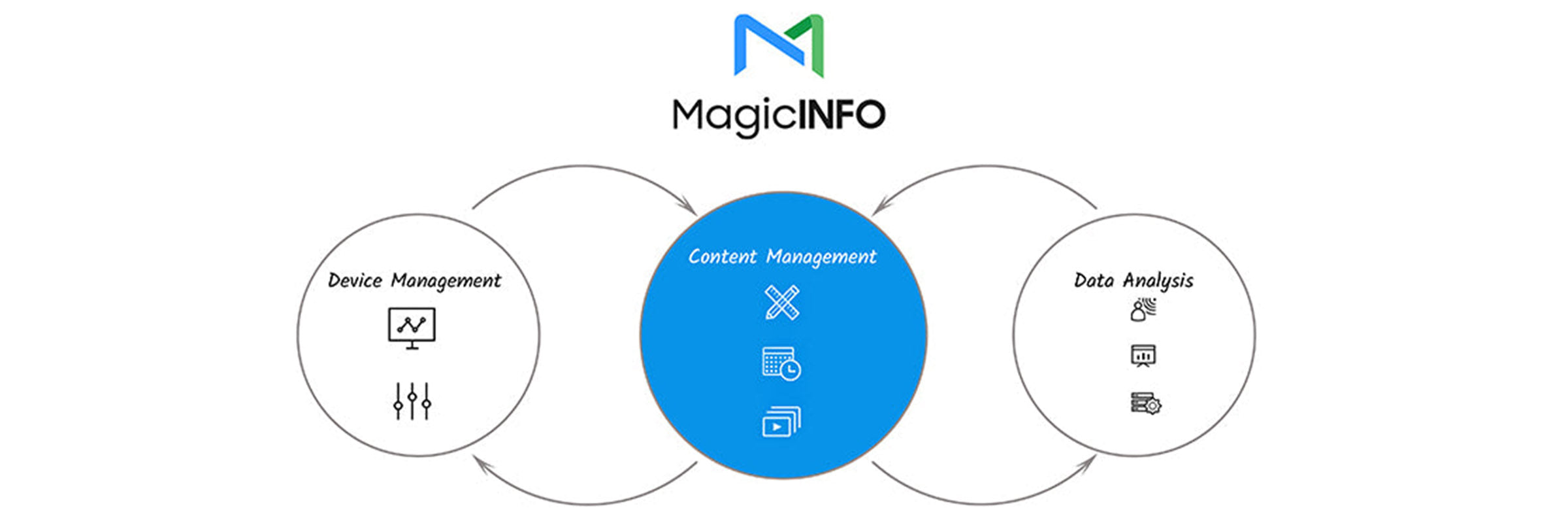
Marketing or IT teams plan content via a web-based interface – images, videos, PowerPoint slides and live data via RSS. Distribution takes place centrally to individual displays or entire networks. Playback, monitoring and error notifications are combined, across multiple sites if required.
The range distinguishes four editions (Lite, Premium S, Premium I, Video Wall) plus four functional areas (Server, Player, Author, Analytics). The right edition depends on the use case. A single display in a bakery, a 12-display network for a hotel chain or a 250-display video wall in an airport terminal each have their own requirements.
What is Samsung VXT? The successor since 2024.
Samsung VXT is the next generation of the Samsung signage platform and has been available since 2024. VXT is designed to be fully cloud-first. Instead of dedicated server infrastructure in a data centre, a Windows server image and VPN tunnels, the displays log in directly to the Samsung cloud service. This noticeably reduces IT complexity across your sites. Our page Samsung VXT provides a detailed overview of features, security and hardware.
Three points make VXT attractive for new rollouts:
- Faster set-up. Connect the display, pair it with the VXT account, assign content – there is no need to build a server first.
- AI features. Content generation, automatic image adaptation to the display format, anomaly detection in playback status.
- Subscription model. Licence costs per display, billed annually – our B2B standard, with a volume discount compared with monthly payment. Instead of a one-off server licence plus maintenance, the platform runs as an ongoing subscription.
If you would like to evaluate VXT before a rollout: on samsungvx.com, Samsung offers a 60-day trial version. A single Samsung signage display from our shop range is enough for a live test – connect the VXT account, upload content, test the workflow.
Important for existing customers: MagicInfo continues to be supported in parallel. Samsung has communicated a fixed roadmap: the sale of new on-premise licences to new customers has been closed since February 2026. Existing customers can still purchase additional licences for their existing MagicInfo environment until August 2026. Technical updates and support for existing installations run until August 2029. Migration can then be linked to natural refresh cycles (a new branch, display replacement after 5–7 years).
MagicInfo editions at a glance
The four editions cover every scale – from a single shop window display to a synchronised video wall.
MagicInfo Lite
The standard edition comes integrated ex works on every Samsung Smart Signage display. Lite is aimed at single devices or small networks with local control: the store manager loads the advertising loop onto the display via USB stick or the local network. Playback of video, images, PowerPoint and audio directly from internal memory or USB.
Typical use case: a bakery counter with one display, a pharmacy shop window, the reception area of a car dealership.

MagicInfo Premium S (server edition)
Premium S is the server-based version for SMEs with several sites. The edition runs in system-on-chip mode directly on the displays – no external PC is needed at the display. Content is planned centrally on the server and automatically distributed to the connected displays.
Standalone mode and network mode can be combined: if a branch temporarily loses its internet connection, the display continues to play the last synchronised schedule.

MagicInfo Premium I (Windows edition)
Premium I relies on an external Windows player at the display – for setups that need more computing power, database connectivity or mobile management (control via phone or tablet) than the display's internal hardware provides. Typical examples: dynamic price displays in food retail, database-driven shift schedules in hospitals, real-time stock level displays.
Premium I offers the highest computing power in the range – the higher licence surcharge reflects this depth of performance.

MagicInfo Video Wall (for large-scale setups)
Video Wall synchronises several displays into one continuous image area. The S version (system-on-chip) scales up to 16 displays, the I version with an external server up to 250 displays. Layouts may combine displays of different sizes – typical for trade show stands, airport departure halls and company lobbies.
8K content playback is possible as soon as the display hardware supports it.
The four MagicInfo functions
Functionally, MagicInfo consists of four building blocks, which are available depending on the edition.
MagicInfo Server
The Server is the central control instance: multi-location display management (controlling displays across sites) from one interface, remote access (remote maintenance via the internet) and real-time monitoring with error notification. The current version is MagicInfo Server 6.
Key features:
- DataLink for automatic content updates from external data sources.
- RSS feed support for news, weather and share prices.
- Drag-and-drop editor for creating layouts without marketing staff needing to know HTML.

MagicInfo Player
The Player is the playback engine that runs on every display. The S3, S4 and S5 generations are currently widespread – the version number depends on the display's year of manufacture. Backup player functionality ensures that if the main source fails, a local emergency loop (a locally stored endless loop) remains visible.
Key data:
- Simultaneous playback of up to three Full HD videos.
- 8K quality on compatible displays.
- Portrait and landscape without loss of performance.
- No external media players needed at the display.

MagicInfo Author
Author is the layout and content tool: templates, widgets, QR code integration, upload of complete content packages as a zip file. Marketing staff create their loop in Author and the server distributes it automatically.
Landscape and portrait layouts are maintained in one tool – important when a campaign runs across sites with displays mounted in different orientations.
MagicInfo Analytics
Analytics measures audience data (anonymised viewer statistics) via optional display cameras: estimated age group, gender, dwell time in front of the display. Dynamic content triggers can be derived from this – for example, different advertising in the morning (senior citizens) than in the afternoon (young families).

Features:
- AI-assisted data analysis (Brightics engine).
- Custom rules for time- or audience-controlled ad scheduling.
- Performance dashboard with playback statistics.
Data protection note: in Germany, camera measurement is subject to the GDPR. A notice at the display and a configuration without personal reference or permanent recording are mandatory. Consult your data protection officer before the rollout.
Migrating from MagicInfo to Samsung VXT – what changes
If you run a Samsung signage installation today, you do not need to rush into migrating – but you should know what happens when you switch.
What stays the same
- Display hardware. Current Samsung Smart Signage displays with the Tizen operating system support both MagicInfo and VXT. Your hardware investment is preserved.
- Edition logic. VXT also has tiers based on functionality – from simple single-display management to video wall synchronisation.
- Content formats. Images, videos, PowerPoint loops and RSS feeds work on both platforms.
What changes
- Cloud instead of your own server. VXT relies on Samsung's cloud infrastructure. If you need an on-premise server (a server in your own data centre) for compliance reasons, you stay with MagicInfo Premium I or S for the time being.
- Licence model. VXT is billed per display – with us as an annual invoice with a volume discount (monthly payment possible on request). MagicInfo on-premise is licensed in the classic way, once per display (plus optional maintenance); existing customers can still purchase additional licences until August 2026, while sales to new customers ended in February 2026.
- AI features. Image generation, automatic layout adaptation and anomaly detection are available in VXT, but not in MagicInfo.
When migration makes sense
Three triggers speak in favour of switching:
- A new branch or new rollout. A new site starts directly in VXT instead of expanding the old server structure.
- Display refresh cycle. When the hardware is replaced after 5–7 years, the whole site moves to VXT.
- Multi-site management. If you coordinate 15+ branches, you will benefit noticeably from cloud-first.
For existing installations with a working MagicInfo Server 6 environment and stable S4/S5 players: no pressure to migrate. According to Samsung's roadmap, MagicInfo continues to be supported in parallel.
Which Samsung displays support MagicInfo or VXT?
Both platforms run on Samsung system-on-chip displays with the Tizen operating system – the player is integrated into the display, so no external mini PC is needed. Current series such as QM, QH, QB and OM support MagicInfo Lite ex works. The minimum requirement for VXT is Tizen 4.0 (SSSP6). From Tizen 6.5 (SSSP10), VXT support is provided ex works; between Tizen 4.0 and 6.0, a firmware update is enough. There are also video wall families made up of several synchronised LCD panels.
The right hardware can be filtered in the category Samsung signage displays in the shop – by size (32" to 110"), brightness (from 2,500 cd/m² for shop windows) and location. For interactive conference rooms with whiteboard functionality, the Samsung Flip displays are the right counterpart. They use their own software ecosystem but can be integrated into MagicInfo or VXT environments.
The right combination of edition and hardware depends on your branch network, lighting profile and maintenance set-up. A 15-minute conversation is enough to clarify these requirements.
Frequently asked questions about MagicInfo & VXT
How much does a MagicInfo server cost?
The server licence is billed per display, not per server instance. The final cost depends on several factors – the chosen edition (Lite is included with the display, Premium S and I are licensed separately), the number of end devices, the desired support level and the choice between MagicInfo on-premise and a VXT cloud subscription. List prices vary depending on the Samsung programme and volume tier. For a reliable calculation based on your specific number of branches and displays, we will provide a binding quote – a short enquiry is all it takes.
Do I need a server for MagicInfo Lite?
No. MagicInfo Lite runs directly on the display and does not need a separate server. Content is uploaded via USB stick, a network share or a simple web interface. For a single shop window display or a reception display in a practice, Lite is entirely sufficient.
What is the difference between MagicInfo Premium S and I?
Premium S runs in system-on-chip mode – the display itself is the player, so no additional computer is needed on site. Premium I requires an external Windows PC at the display and in return offers more computing power, database integration and mobile management functions. S is cheaper in terms of hardware set-up, I is more powerful for complex, database-driven content.
How many displays can a MagicInfo video wall control?
The MagicInfo Video Wall S version synchronises up to 16 displays in system-on-chip mode. The I version with an external server scales up to 250 displays in one logical video wall group. Layouts with display tiles of different sizes are possible in both versions.
Does Samsung VXT completely replace MagicInfo?
Gradually. Samsung communicates a parallel roadmap: VXT has been the strategic standard for new installations since 2024, while MagicInfo remains operational for existing customers and is supported until August 2029. If you run MagicInfo Server 6 today, you can link the switch to hardware refresh cycles and do not need to rush anything.
Can I test Samsung VXT before we commit?
Yes. On samsungvx.com, Samsung offers a 60-day trial version. For the test you need a VXT-capable Samsung signage display – a single device is enough to evaluate the cloud connection, the editor and the reporting. A display from the current QM or QB series is a suitable test platform; after a successful trial run, the setup scales to the entire branch network without changing hardware.
Can existing MagicInfo players use VXT?
Compatibility depends on the display's Tizen version. Player generation S5 (Tizen 6.5 or higher, SSSP10) is VXT-ready ex works. S4 (Tizen 4.0 to 6.0, SSSP6/7) becomes VXT-capable after a firmware update to the latest version. Player S3 (Tizen 2.4, SSSP3) is not VXT-compatible – this hardware remains dependent on MagicInfo. Before a migration project, we check the Tizen version of the existing devices and the migration path together with the manufacturer.
Who can help with MagicInfo configuration?
We support you all the way: display selection based on the branch profile, edition recommendation (Lite/Premium S/I/Video Wall), server set-up and training for branch teams. Our account managers are Samsung VXT-certified – platform-specific migration and configuration questions can be answered first-hand, without a detour via third parties. MagicInfo becomes manageable as soon as the initial configuration starts with a plan – a short preliminary meeting covers the typical pitfalls.
Advice & hardware from a single source
We supply Samsung signage displays directly from Germany and advise you from choosing the right edition to planning the rollout – whether it is a single display for pharmacy shop window advertising or a 60-site branch network for a bakery chain.
- Phone: 0221 719981-0
- WhatsApp / email: Enquiries via the contact page
- Hardware: Samsung signage displays in the shop
- Interactive: Samsung Flip
