


 | SKU:
1000032975
Acer X139 5,000-Lumen WXGA Projector with LAN Control for Schools and Business
- 1,280 × 800 WXGA Resolution · 16:10
- 20,000:1 Contrast
- 5,000 ANSI lumens · 32/27 dB Light & noise
- standard · TR 1.54–1.72:1 Lens
- portrait mode Features
- direct power on Features
- 360° installation Setup
- password protection Features
- LAN control (Wake-on-LAN) Connections
Matching accessories
Acer X139 is always included 360,00 €
Together
Tax included
The items have different delivery times and will arrive in several shipments.
Questions about the product?
Whether it's a conference room, school or home cinema – Florian Langkamp, our Projectors and tenders specialist, will advise you personally and prepare an individual quote for you.
Conference room, school or home cinema: we give you personal advice and put together a tailored quote.
Florian LangkampProjectors and tendersspecialist

 | SKU:
1000032975
Description
Acer X139


- 100–1000 cmThrow distance
- 5,000ANSI lumens
- 20,000:1Contrast
- 1.54–1.72:1Throw ratio
Acer X139 – 5,000-lumen projector for classrooms and training rooms
Acer X139: compact 5,000-lumen WXGA projector with LAN control and portrait mode for schools and business
The Acer X139 is a powerful standard-throw projector for schools, seminar rooms and office environments. With 5,000 ANSI lumens, it delivers an easily readable image even in rooms with ambient light – WXGA resolution (1,280 × 800) shows presentations, documents and web content sharply and without letterboxing at common laptop aspect ratios. Direct power on, LAN control and password protection make it a practical tool for continuous use in educational institutions and companies. 360° operation and portrait mode open up additional installation options – from the classic conference room to digital signage setups.
Benefits and special features
- 5,000 ANSI lumens – high-contrast, readable image even with ambient light
- WXGA resolution (1,280 × 800, 8:5) – laptop signals without letterboxing
- Direct Power On – switches on automatically when mains power is applied
- LAN control with Wake-on-LAN – remote power-on via the network
- 360° operation and portrait mode – flexible installation in any orientation
- Password protection and keypad lock – protection against unauthorised use
- Freeze Frame – freeze the image for seamless source switching
- BlueLightShield – blue light reduction for eye-friendly continuous use
Applications: what the Acer X139 is ideal for
Classrooms and training rooms
With 5,000 ANSI lumens, the Acer X139 shows lesson content clearly even when blinds are down but do not fully darken the room. WXGA resolution (1,280 × 800) cleanly displays presentations, web content and educational videos – 16:10 signals from teachers' laptops are shown without black bars. Direct power on and auto power-on on HDMI signal cut preparation time to a minimum, while the keypad lock prevents students from changing settings unintentionally.
Conference and meeting rooms
The 32 dB operating level in normal mode remains acceptable in meetings; in Eco mode (27 dB) with 4,000 lumens, the projector is barely noticeable even in quiet discussions. LAN control with Wake-on-LAN enables central switching on and off without on-site access. RS-232 is available for integration into existing room control solutions. A VGA cable is included – older presentation computers can be connected directly without an adapter.
Digital signage and flexible installations
360° operation allows upside-down ceiling mounting as well as side projection. Portrait mode enables portrait-format projection for signage, information displays and narrow screen layouts. Auto power-on on signal and direct power on support uninterrupted continuous operation without staff.
Picture and sound quality
The Acer X139 uses DLP technology with a 0.65" DMD chip at WXGA resolution (1,280 × 800). With 5,000 ANSI lumens in normal mode and a contrast ratio of 20,000:1, it delivers bright, high-contrast images for typical business and education applications. HDR support is included and improves the display of suitably mastered content. Compared with 3LCD systems, the DLP chip typically offers better ANSI contrast – text slides, diagrams and CAD content appear sharper and more contrasty, even when the room is not fully darkened. Anamorphic mode supports CinemaScope formats (2.35:1) for special applications.
The integrated LumiSense automatic adjusts projection brightness to the ambient light – this lowers energy consumption in rooms that are already darkened and spares the lamp. ISF calibration enables professional picture optimisation by certified AV technicians.
Audio: The integrated speaker delivers 3 watts (mono). It will do for direct seminar use; for larger rooms or speech intelligibility over more than 6 metres, we recommend an external audio system via the 3.5 mm jack output.
Connections and connectivity:
- HDMI 1.4a (1×, HDCP 1.4) – for current laptop and PC connections
- VGA input – for older presentation computers without an adapter (VGA cable included)
- USB-A (1×) – for accessories
- LAN (RJ-45): network control with Wake-on-LAN / remote power-on
- RS-232 – serial control: power on/off, input selection, brightness, volume, freeze, status monitoring
- Audio output: 3.5 mm jack – for active speakers or amplifiers
- HDMI-CEC – connected sources are controlled too
Mounting and installation
The housing measures 313 × 240 × 114 mm and weighs 2.8 kg – compact enough for flexible ceiling installation. When planning the mount, add approx. 7–12 cm for plugs and cable exit to the housing depth of 24.0 cm.
The Acer X139 supports all common setups: table placement, ceiling mounting (upside down) and rear projection. 360° operation also allows side installations and portrait mode for portrait-format projection. The zoom lens (1.1×) with a throw ratio of 1.54–1.72:1 offers moderate placement flexibility. Keystone correction (vertical ±40°) compensates for small placement deviations; for permanent installations, precise mounting alignment is recommended to avoid loss of resolution through digital correction. Note: zoom and geometric correction are mutually exclusive.
Mounting screws: M4, screw depth 25 mm. A compatible ceiling mount is available as an accessory for ceiling mounting.
Throw distance table:
| Image size (diagonal) | Image width (approx.) | Throw distance |
|---|---|---|
| 80 inches | 171 cm | 2.63 – 2.94 m |
| 100 inches | 214 cm | 3.29 – 3.67 m |
| 120 inches | 256 cm | 3.95 – 4.41 m |
The calculated throw distances are based on the manufacturer's throw ratio and are intended as guide values. As the measuring points (e.g. from the centre of the lens vs. the front of the housing) often vary between data sheets, calculations accurate to the centimetre cannot always be guaranteed.
Security features: PIN lock (password protection) prevents unauthorised use; the keypad lock hands control exclusively to the remote control – useful in public spaces and classrooms. There is no Kensington lock.
In the box: Remote control, power cable, VGA cable.
Running and follow-up costs
Power consumption: 275 W (normal mode), 205 W (Eco mode). Standby: 0.5 W.
The LumiSense sensor reduces operating brightness automatically – in rooms that are already darkened, energy demand drops accordingly, with no manual intervention. In Eco mode, the projector delivers 4,000 lumens with a significantly reduced noise level (27 dB) and extended lamp life.
Lamp life (replacement lamp part no. UC.JR711.002):
| Operating mode | Lamp life | 2 hrs/day | 8 hrs/day |
|---|---|---|---|
| Standard mode | 5,000 h | approx. 7.0 years | approx. 1.5 years |
| ECO mode | 10,000 h | approx. 13.5 years | approx. 3.5 years |
| Dynamic mode | 15,000 h | approx. 20.5 years | approx. 5.0 years |
If you would rather avoid lamp replacements altogether, take a look at our laser projectors with a life of up to 30,000 hours – maintenance-free and with no replacement lamp costs.
Target groups at a glance
- Schools and educational institutions looking for a reliable, daylight-capable classroom projector with simple operation and protective functions
- Companies with regular presentation needs in medium-sized conference rooms (up to approx. 120-inch image size)
- IT departments that need remote management via LAN (Wake-on-LAN) and RS-232 integration into room control systems
- Installation scenarios with portrait-format requirements or unusual mounting angles (portrait mode, 360° operation)
Upgrade recommended for
- More installation flexibility thanks to optical lens shift – for precise image alignment directly at the lens: Business projectors with lens shift
- Maintenance-free continuous operation without lamp replacement: Laser projectors from 5,000 lumens
- Higher resolution for detailed presentations and spreadsheet views: WUXGA projectors (1,920 × 1,200)
Have you thought of everything?
- Screen: For a permanent classroom or conference room, we recommend a fixed-frame screen – for flexible use, a motorised screen.
- Mount: For ceiling mounting (upside down, M4 fixing), a suitable ceiling mount is a good choice.
- HDMI cable: The X139 does not come with an HDMI cable. For reliable signal transmission – especially with ceiling mounting – you will find suitable HDMI cables in our accessories.
- Wireless presentation (BYOD): As there is no built-in Wi-Fi, a receiver for wireless presentation enables AirPlay, Miracast and Google Cast – for spontaneous BYOD presentations without installing software on the laptop. For professional meeting use, a base station from the same category offers an even faster start via plug & play.
- Sound: The integrated 3-watt speaker is suitable for small rooms. For seminar rooms and classrooms with more than 20 people, active speakers or a soundbar is a good choice.
Conclusion
With 5,000 ANSI lumens, the Acer X139 offers enough light reserve for classrooms and conference rooms with ambient light. WXGA resolution, direct power on, keypad lock and password protection are tailored to everyday school life and regular seminar and meeting use. LAN control with Wake-on-LAN and RS-232 allow integration into existing room control systems without extra effort. Portrait mode and 360° operation open up installation options beyond classic ceiling mounting. A lamp life of up to 15,000 hours in dynamic mode keeps follow-up costs predictable – replacement lamp part no. UC.JR711.002 can be reordered at any time.
From a single device to a complete system: we plan your turnkey projector solution including suitable accessories and integration. Request an individual package offer from our projector experts request it now!
Technical data
-
General
-
Condition
-
Manufacturer
-
Brand
-
Model name
-
Manufacturer part number
-
EAN
-
Product type
-
Product series
-
ApplicationEducation projector, Entry-level projector, Business projector
-
Featuresautomatic keystone correction, Integrated speaker
-
-
Image
-
Projector type
-
Resolution
-
Aspect ratio
-
ANSI lumens
-
ANSI lumens (Eco)
-
Contrast ratio
-
-
Light source
-
Light source
-
Lamp life
-
Lamp life (Eco)
-
-
Projection and lens
-
Projection distanceStandard (long throw)
-
Throw ratio1.54 to 1.72 : 1
-
Throw distance1 to 10 m
-
Lens included in deliveryYes
-
Keystone correction vertical
-
-
Connections and wireless
-
Inputs1x 3.5 mm jack, 1x component, 1x HDMI, 1x USB-A, 1x VGA
-
Outputs1x 3.5 mm jack, 1x VGA
-
Wireless technologyWi-Fi optional
-
-
Energy and noise
-
Operating noise
-
Operating noise (Eco)
-
Power consumption in operation
-
-
Dimensions and weight
-
Dimensions (W × H × D)31.3 × 11.4 × 24 cm
-
Weight
-
Colour
-
-
Scope of delivery and warranty
-
Scope of deliveryLens cap, Power cable, Remote control, VGA cable
-
Warranty
-
Warranty type
-
WEEE number
-
Documents & downloads
Throw distance calculator – Optimal setup for Acer X139
Optimal setup for Acer X139
More settings
Aspect ratio Borderlinebelow 500 lm/m²
 Darkened roomfrom 500 lm/m²
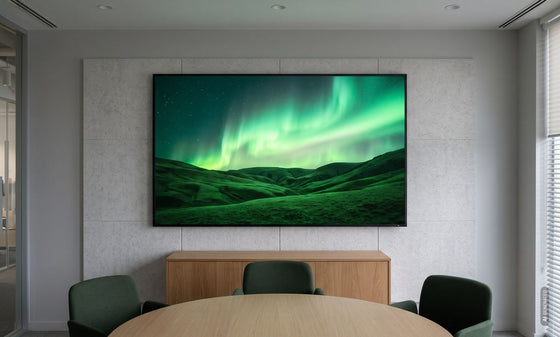 Room with ambient lightfrom 1,000 lm/m²
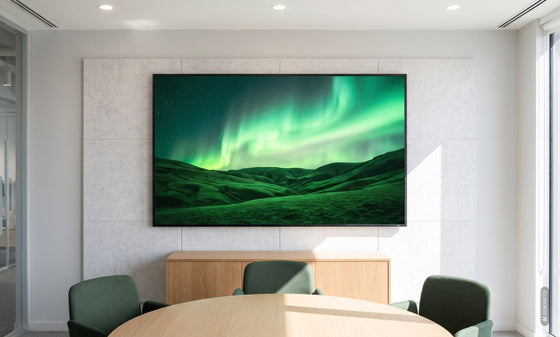 Bright roomfrom 1,500 lm/m²


Borderline: at this image size the picture looks flat and low in contrast even in a darkened room – better to choose a smaller image.
Reviews
Product safety information
Manufacturer
Acer
EU responsible person
Acer Computer GmbHKornkamp 4
22926 Ahrensburg
Germany
Contact
E-Mail: info@acer.de

