


 | SKU:
1000026092
Logitech Tap Room Solution for Google Small Bundle
- small rooms Room size
- 4K · 120° · 5x Zoom Video
- Google Meet Platforms
- 10.1″ Touchscreen Controls
- MeetUp Features
- Chromebox included Features
PayPal Klarna credit card invoice
Questions about the product?
Whether it's a conference room, school or home cinema – Detlev Kohlmann, our Projectors and screens specialist, will advise you personally and prepare an individual quote for you.
Conference room, school or home cinema: we give you personal advice and put together a tailored quote.
Detlev KohlmannProjectors and screensspecialist

 | SKU:
1000026092
Description
Logitech Tap Room Solution for Google


- 4K UHDResolution · 3840 × 2160
- Small spacesApplication
- 10″Diagonal
- 3840 × 2160Resolution · 4K UHD
- Logitech MeetUp
- Logitech Tap Cat 5e Touch Controller
- Chromebox
- PC stand
Better together for the hybrid work environment
Overcome the distance between people in different locations with Google Meet-certified Logitech video conferencing solutions. Logitech and Google Meet enable equal collaboration and provide every employee with the right tools to work from anywhere, maximize their contribution, share knowledge, and fully participate—regardless of location, device, language, or experience level. Logitech and Google Workspace: better together for the hybrid work environment.

Solutions for every room
You have made Google Meet the standard, and now it is time to bring your conference rooms to life. Choose from our preconfigured solutions for small, medium, or large rooms to promote effective collaboration. Each room solution includes a Logitech conference camera, a Google Meet computing system, and a Logitech Tap Touch controller. You can even control the room hands-free with Google Assistant by saying "Hey Google".

The bundle also includes the Logitech JumpStart option.
With this service, Logitech offers you expert support for integrating the room solution. Once the room solution has been registered, you have 90 days to use the service.

Your workplace, your working style
Create the ideal personal workspace with the Logitech portfolio of webcams, headsets, and all-in-one docking stations. Clear image, interference-free sound, and easy meeting participation at the touch of a button.
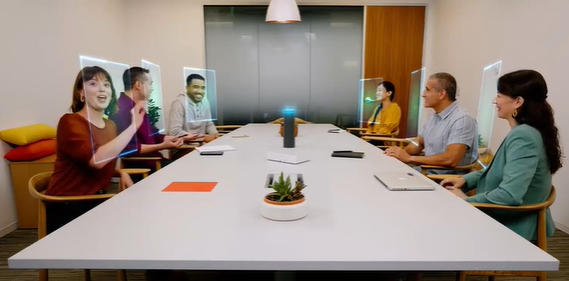
Equal conditions for remote participants—make sure everyone can see who is in the room and who is speaking. With the RightSight 2 grid view, the Rally Bar and Rally Bar Mini complement the dynamic view of Teams Rooms, providing crucial room context.
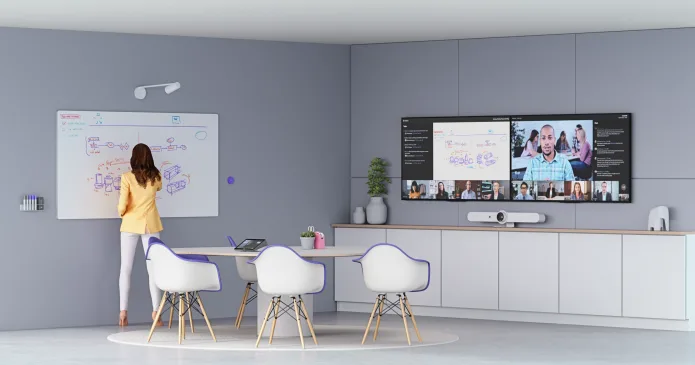
Start with a Logitech ConferenceCam and a Tap Touch controller, and expand your room with a Tap Scheduler, a Scribe camera, or a variety of mounting and cabling options. Our solutions give you the flexibility to customize and scale your rooms as needed.
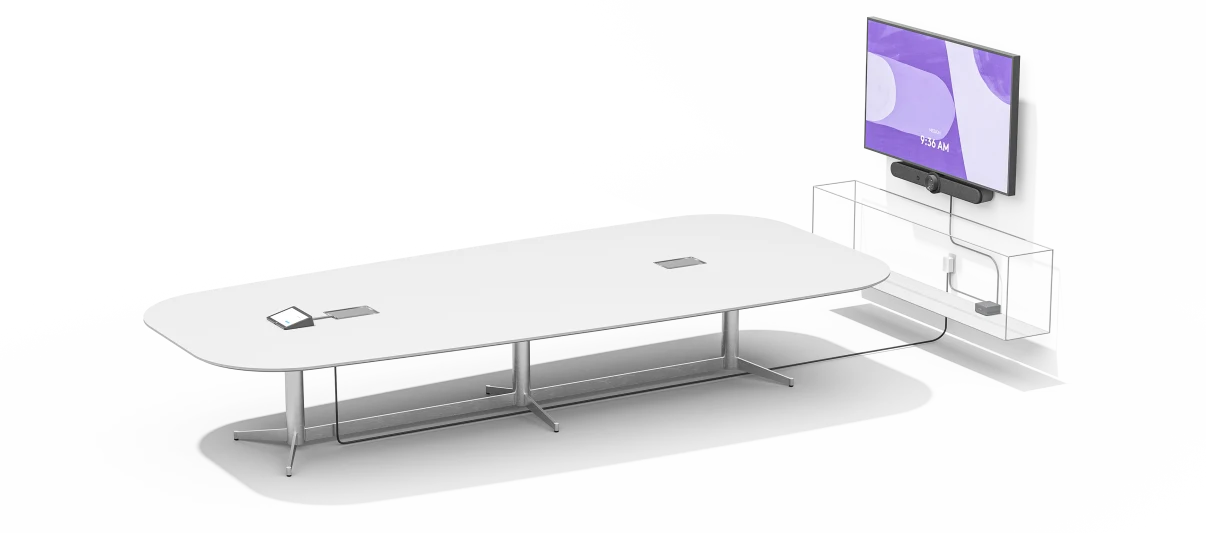
Tap Controller: clean setup
Thanks to flexible cabling, Tap can be placed near the meeting participants, while the host computer can be conveniently placed in a cabinet, under a table, or behind a screen.
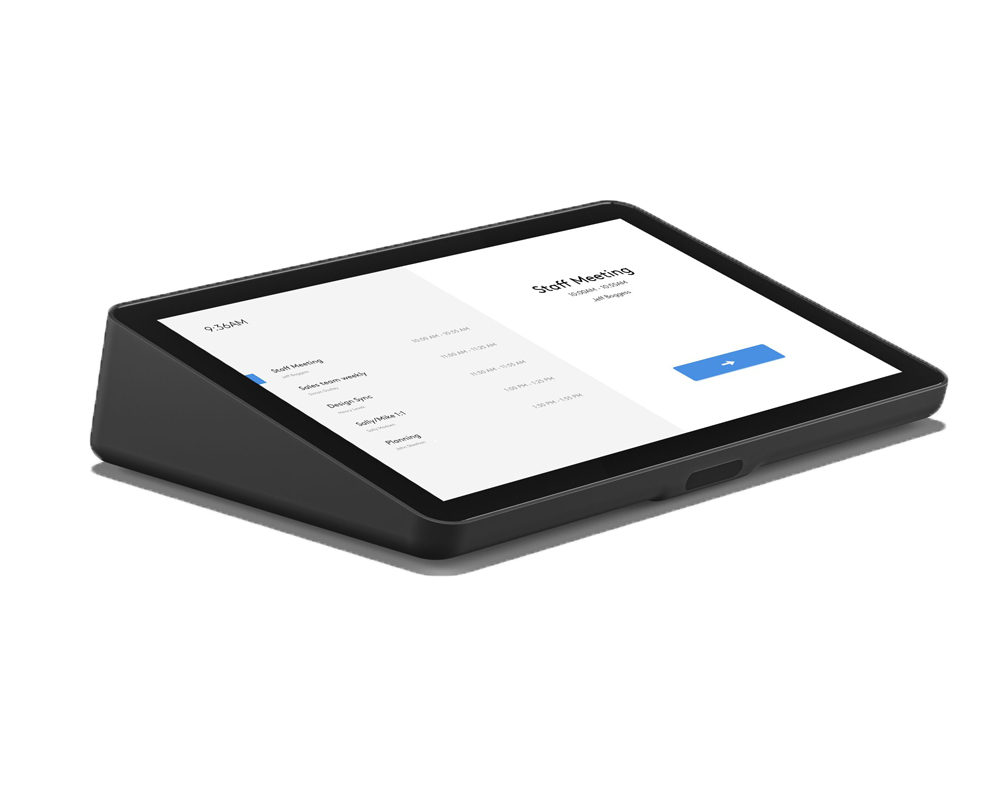
Just the right presence
With a large 10.1-inch display, a slim profile, and a motion sensor for constant readiness, Tap has a simple and discreet presence in the room.
Route the cables through the back or underneath. Keep the connections secure with the integrated strain relief and locking mechanisms.
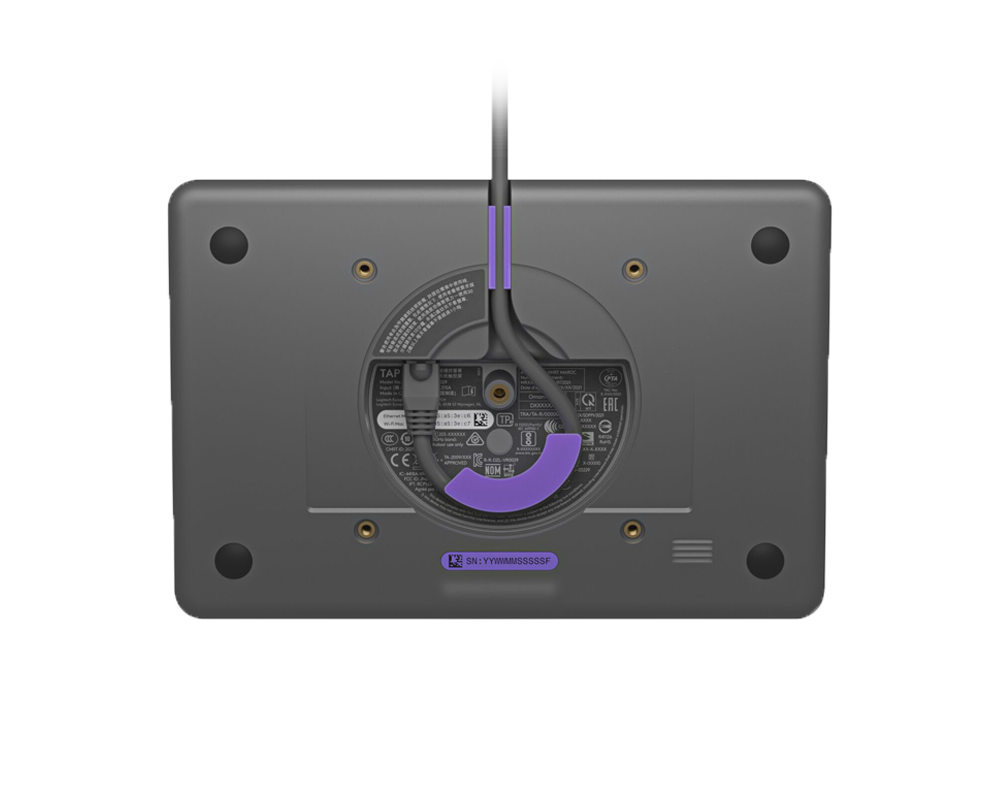
Mount Tap almost anywhere in the room with table and articulated mounts that fit standard cable management openings and can be rotated 180° for greater visibility and convenience, or save table space in small rooms with the wall mount.
The MeetUp: All-in-one ConferenceCam with an ultra-wide-angle lens for small rooms

Synchronizing audio and video is only the first step toward natural conversations. RightSound™ technology includes a beamforming microphone array for voice pickup, automatically balancing louder and quieter voices and suppressing noise.
Create space
MeetUp can be mounted on the display like a soundbar. This eliminates the need for a tabletop speakerphone with cables running across the room and frees up more usable space.

5x zoom
Present speakers perfectly and minimize background distractions. Enlarge the view to display whiteboards and other objects so participants in other locations can see what you see. Thanks to the advanced 4K image sensor, the video is always razor-sharp and clearly visible, even when enlarging small details.
Premium camera optics
MeetUp is equipped with finely engineered premium camera optics that capture a wide field of view without distorting faces or furnishings with a "fisheye" effect. Faces look lifelike, whiteboard text is legible, and straight lines remain straight.
Extended range
The Logitech add-on microphone allows MeetUp to be used flexibly in meeting rooms of different sizes. MeetUp's integrated beamforming microphones are optimized for up to 4 meters. Add an add-on microphone to extend this range to up to 5 meters. This means that whether meeting participants are sitting at a conference table, by the wall, or walking around the room, everyone will still be clearly understood thanks to the add-on microphone.
RightSense technologies
Logitech's proactive RightSense™ technologies make video conferencing better, all simply and automatically. RightSound optimizes voice transmission and ensures clear, intelligible conversations. RightSight automatically moves the camera and adjusts the zoom setting so that everyone is in the frame. RightLight puts everything in the right light, regardless of the current lighting conditions.
Everything under control
The MeetUp remote control uses radio frequency (RF) signals for reliable and discreet control of functions such as volume adjustment, muting the microphone, or manually controlling the camera position from anywhere in the room. With the free Logi Remote app (available for download on iTunes), you can even control MeetUp using an iPhone or iPad.
Technical data
-
General
-
Condition
-
Manufacturer
-
Brand
-
Model name
-
Manufacturer part number
-
Product type
-
Variant
-
ApplicationSmall spaces
-
FeaturesGoogle Meet
-
-
Image
-
Diagonal
-
Resolution
-
-
Projection and lens
-
Optical zoom
-
Digital zoom
-
-
Camera
-
Field of view
-
Focus type
-
-
Dimensions and weight
-
Colour
-
-
Scope of delivery and warranty
-
Scope of deliveryGoogle CTL Chromebox, Logitech MeetUp, Logitech Tap Cat 5e Touch Controller
-
Warranty type
-
WEEE number
-
Reviews
Product safety information
Manufacturer
Logitech
EU responsible person
LogitechClarita-Bernhard-Str. 18
81249 München
Germany
Contact
E-Mail: info@logitech.com

