


 | SKU:
1000026051
Neat Bar Pro & Neat Pad
- medium to large rooms Room size
- 4K · 113° · 16x Zoom Video
- 3 speakers Audio
- Teams Rooms Platforms
- 3 displays Features
- Neat Pad included Features
Matching accessories
Neat Bar Pro & Neat Pad is always included 7.025,96 €
Together
Tax included
The items have different delivery times and will arrive in several shipments.
Questions about the product?
Whether it's a conference room, school or home cinema – Florian Langkamp, our Projectors and tenders specialist, will advise you personally and prepare an individual quote for you.
Conference room, school or home cinema: we give you personal advice and put together a tailored quote.
Florian LangkampProjectors and tendersspecialist

 | SKU:
1000026051
Description
Neat Bar Pro & Neat Pad


- Conference CameraProduct type
- Microsoft TeamsFeatures
- 1920 × 1080Resolution · Full HD
- 50 MPCamera resolution
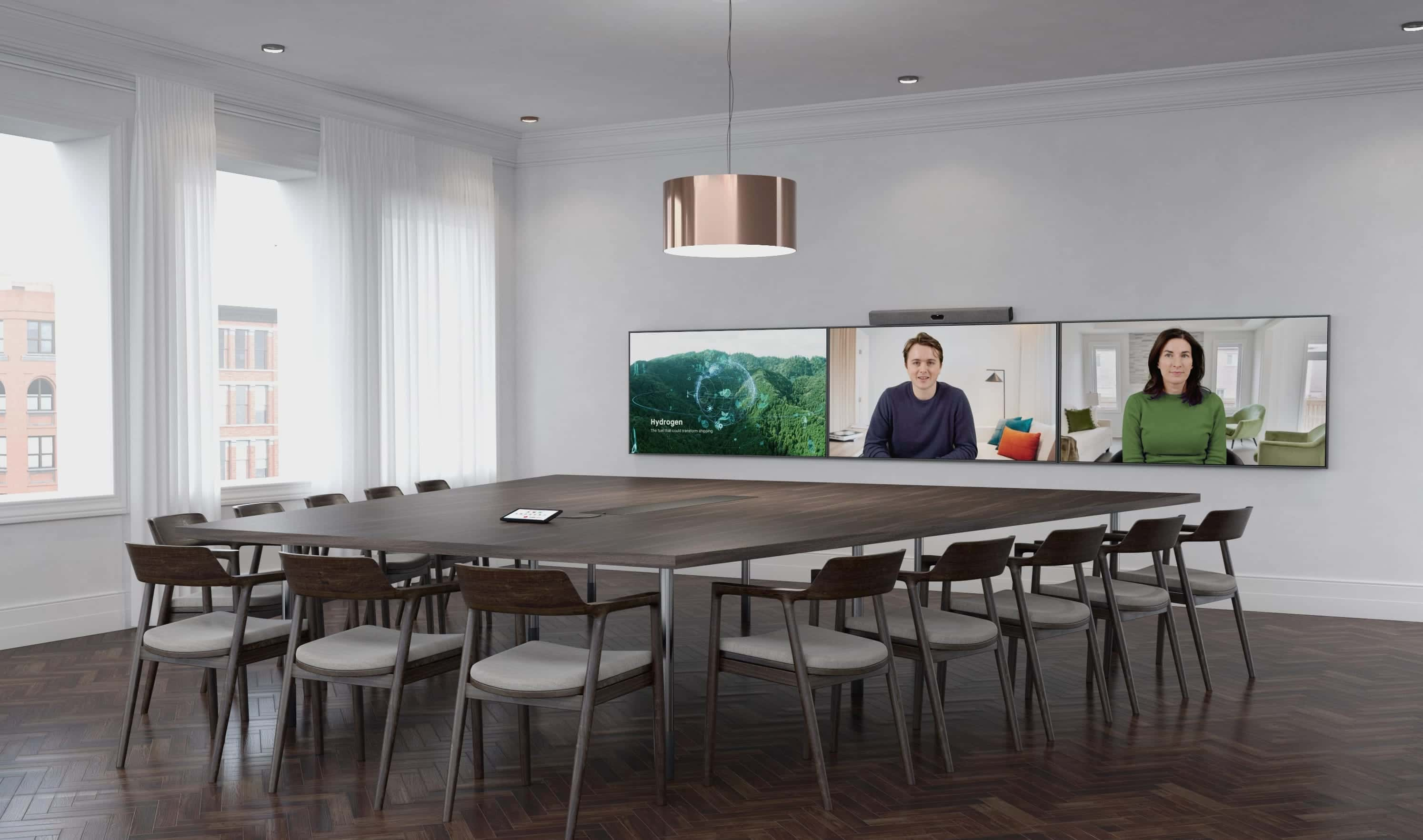
Neat Bar Pro is a simple and elegant device that combines a lot of technology. It can drive up to three large 4K displays, enabling an incredibly immersive and high-quality experience of people and content in any Microsoft Teams meeting room.
Neat Bar Pro is particularly suitable for large meeting rooms. It is equipped with two high-resolution cameras and an advanced depth sensor that together enable 16x zoom, allowing you to view the people in the room up close, regardless of where they are located.
-
Experience the following highlights:
- 4K HD HD resolution
- 50MP capture resolution
- 70° to 113° horizontal field of view
- 16x digital zoom
- Triple-screen support
- Automatic framing of people
- Distortion correction, noise reduction, chromatic aberration correction, automatic white balance and color correction
- Person video resolution: Up to 1080p / 30
- Video resolution for content: 720p / 60, 1080p / 30
- 3 broadband speakers (high-quality and very clear bass-reflex speakers)
Restore symmetry.
This unique feature brilliantly restores the symmetry between the people in the room and the remote people, creating a more human connection and making video conferences feel almost as real as meeting face-to-face. While this used to be a disjointed experience in video conferences, Neat Symmetry allows your remote colleagues to see the rest of the team in the meeting room individually and up close on their screens like never before.
In addition, it instinctively frames and tracks every participant in the room, so that participants can stand up to stretch or move around to improve their well-being while staying engaged. The result: You stay active, focused, and productive for longer.
Clearer sound, fewer distractions.
Neat Bar Pro features multiple microphones for clearer audio capture in large rooms and three full-range speakers that produce excellent, room-filling stereo sound. Neat Audio also features advanced audio processing that better captures the human voice and removes distracting noises such as fans or air conditioners.
At the same time, with Neat Boundary, you can define the width and depth of your meeting room to prevent the camera from accidentally detecting and automatically framing and tracking people who are not involved in your video call, e.g. if you are in an open-plan office or a room with glass walls and someone walks by outside or people are standing around, the camera ignores their presence.
The Neat Bar Pro features expandable audio features that allow you to connect it to third-party audio accessories, such as ceiling microphones and speakers.

Easy setup.
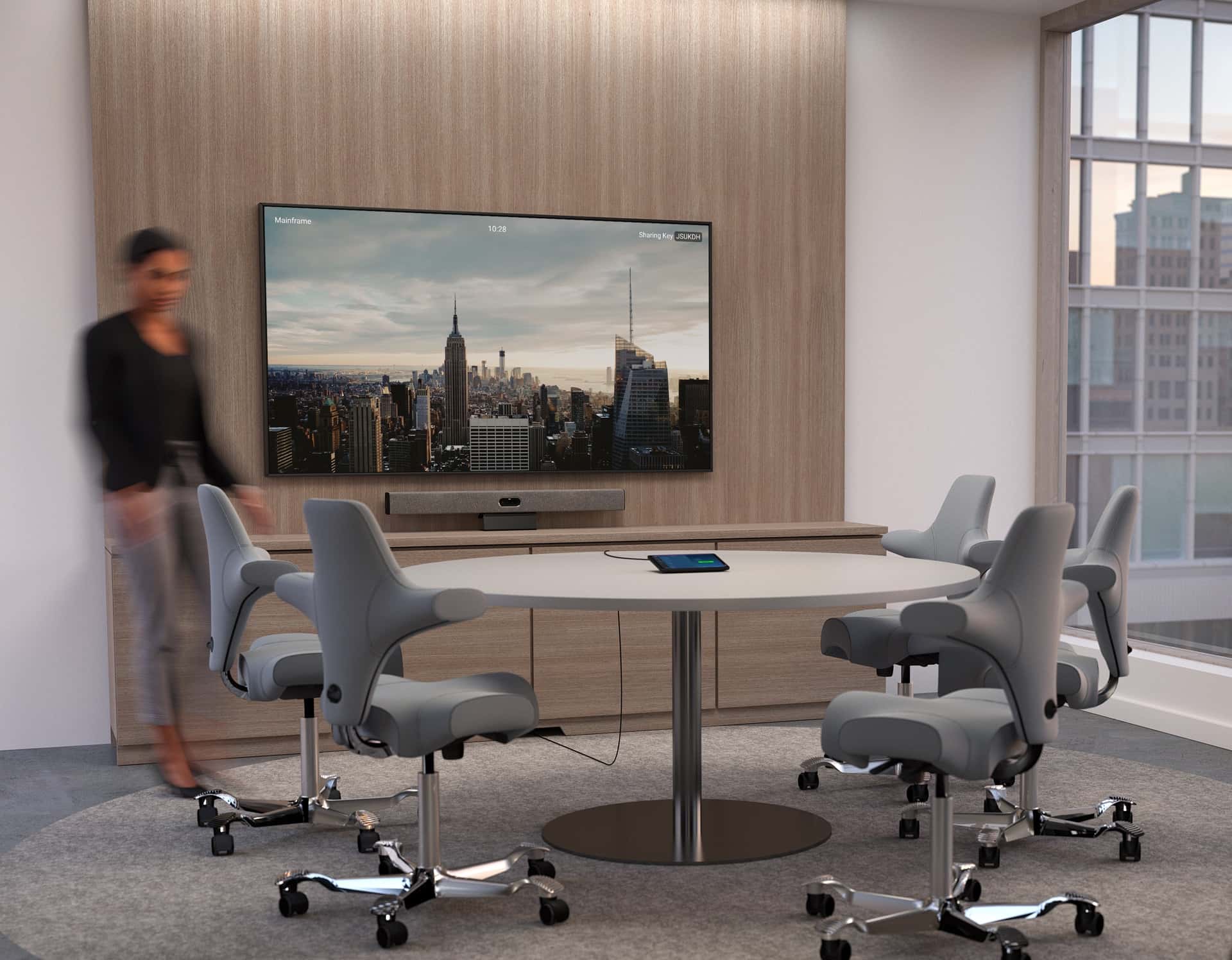
Everything you need is included in the delivery, including a screen mount, making installation and setup easy for everyone. Simply connect the two cables, and Neat Bar Pro automatically connects to Neat Pad, our dynamic controller and scheduler. Both Neat Bar Pro and Neat Pad can be connected to your network via cable or wirelessly, allowing you to share audio and visual content seamlessly wirelessly or via an HDMI cable.
Fully managed and supported.
Neat eliminates complexity and threats thanks to our secure single-purpose hardware devices. So you no longer have to worry about passwords and patches. You can also install all current upgrades with just one click via the Microsoft Teams Admin Center.

Neat Pad - Touchscreen for meeting rooms
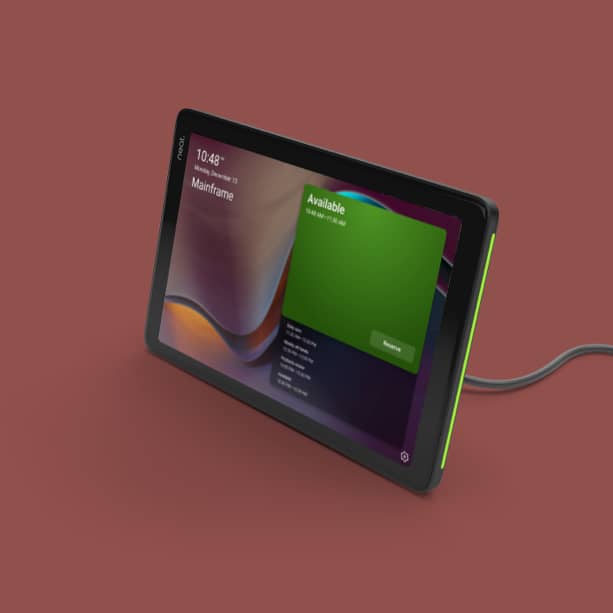
Room availability.
You can install Neat Pad outside your meeting room for optimal room management. Configure Neat Pad as a scheduling display for your Zoom rooms or as a panel for your Microsoft Teams rooms, or even provide Neat Pad to make your non-video-capable meeting rooms bookable, provided you have the appropriate platform license. You can book the room immediately without having to search through your other calendar systems, and integrated LED displays show room availability at a glance, even from another hallway.
Meeting control.
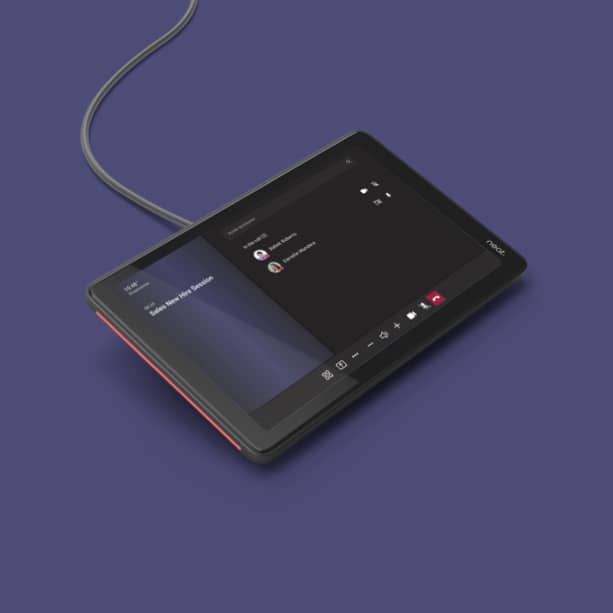
As a controller, you can quickly start your meetings with Neat Pad and share your screen with just one tap. Configure Neat Pad as a controller for your Zoom rooms or as a console for your Teams rooms. You can also invite participants, mute them if needed, or record your meetings. And when connected to a third-party Zoom Rooms system, it not only replaces a conventional tablet controller but also offers superior features.
Easy setup.
Neat Pad comes with a wall and side mount, making it easy for anyone to install and set up. Use the wall mount to attach Neat Pad to the wall of your meeting room. With the side mount, you can attach Neat Pad to the edge of your door frame or post. Thanks to just one power-over-Ethernet cable, Neat Pad is always awake and ready for use.
Works simply.
Configured as a controller, Neat Pad ensures that every meeting room is always ready. You can add multiple Neat Pads, so everyone at the table has access to the controls from anywhere. And in a future software version, the two built-in microphones of Neat Pad will enable improved audio capture on all Neat systems.
Technical data
-
General
-
Condition
-
Manufacturer
-
Brand
-
Model name
-
Manufacturer part number
-
EAN
-
Product type
-
ApplicationLarge rooms, Medium-sized rooms
-
FeaturesMicrosoft Teams
-
-
Image
-
Resolution
-
-
Camera
-
Camera resolution
-
Field of view
-
-
Dimensions and weight
-
Weight
-
Colour
-
-
Scope of delivery and warranty
-
Warranty
-
Warranty type
-
WEEE number
-
Documents & downloads
Reviews
Product safety information
Manufacturer
Neat
EU responsible person
Legrand Care GmbHRobert-Bürkle-Straße 3
85737 Ismaning
Germany
Contact

