


 | SKU:
1000030231
Acer H6546Ki Demo
- 1,920 × 1,080 Resolution · 16:9
- 10,000:1 Contrast · HDR
- 5,200 ANSI lumens · 29/27 dB Brightness & Volume
- Standard · PV 1.48–1.62:1 Objective
- instant-on Features
- portrait mode Features
- ISF calibration Features
- 360° installation Setup
PayPal Klarna credit card invoice
Questions about the product?
Whether it's a conference room, school or home cinema – Florian Langkamp, our Projectors and tenders specialist, will advise you personally and prepare an individual quote for you.
Conference room, school or home cinema: we give you personal advice and put together a tailored quote.
Florian LangkampProjectors and tendersspecialist

 | SKU:
1000030231
Description
Acer H6546Ki


- 100–1000 cmThrow distance
- 0.0 %Vertical lens shift
- 5,200ANSI lumens
- 10,000:1Contrast
Condition description
Projectors in the Silver Class may have minor cosmetic defects that do not affect the operation of the device. The lamp life varies between 31 and 80 hours.
Rich colors and excellent image quality for your home theater
Welcome to your home theater! The Acer H6546Ki is the perfect home theater projector with native Full HD resolution and an incredible brightness of 5,200 ANSI lumens, which makes an impression even in rooms that are not completely darkened. Thanks to automatic keystone correction, the image is aligned in seconds and nothing stands in the way of your home theater experience. With wireless projection, you can say goodbye to cable clutter and project content wirelessly from your smartphone or notebook. The Acer Football Mode provides even richer colors for sports experiences and rounds off the home theater experience.
- Light technology: 245-watt Philips UHP
- Resolution: 1080p Full HD (1,920 x 1,080 px)
- Brightness: 5,200 (Standard), 4,160 (ECO) ANSI lumens
- Contrast: 10,000:1
- Maximum lifespan (hours): 5,000 (Standard), 10,000 (ECO), 12,000 (ExtremeEco) hours
Hidden Dongle Design
Acer Hidden Port Design: The Acer Hidden Port allows the integration of a compatible wireless adapter without any external limitations. This way, the adapter is seamlessly integrated into the housing and maintains a sleek design without corners or edges.
Auto Shutdown
The Auto Shutdown function automatically shuts down the Acer projector if no input signal is received after a preset time. This function can be individually adjusted via the menu and helps save power and lamp hours.
Wall Color Compensation
Wall-Color Compensation: Best image quality is enabled by wall color correction on colored projection surfaces such as boards and wallpaper. 5 optimized wall colors can be easily compensated for via the menu without further settings for the best image quality.
Acer Football Mode
With the Acer Football Mode, you bring the stadium to your home. The mode automatically adjusts image brightness, saturation, sharpness, and gamma values so that skin tones are projected even more realistically and green tones even more vividly. Ideal for football fans and sports enthusiasts.
Acer LumiSense
The AcerLumiSense technology uses an ambient light sensor to detect the brightness in the projection environment and optimally adjust the brightness and color saturation accordingly. In addition, AcerLumiSense also analyzes the projected image and dynamically optimizes the quality of the displayed image.
Bluelight Shield
Bluelight Shield allows users to reduce the blue light content to mitigate the negative effects of blue light exposure. There are three filter levels in the projector, which are suitable for different scenarios. Each level also contains a dynamic mechanism that optimizes the blue light level depending on the content. Bluelight Shield can reduce blue light by up to 30% and protect your eyes.
Automatic Keystone Correction
With automatic vertical keystone correction, Acer projectors automatically compensate for trapezoidal distortion when not placed exactly vertically and project a rectangular image.
Auto Ceiling Mount Correction
Auto Ceiling-Mount Correction: The integrated gravity sensor in the Acer projector detects when it has been mounted upside down on a ceiling and automatically rotates the projection by 180° without additional settings in the menu.
AC Power On
With the AC PowerOn function, the projector is able to turn on automatically as soon as the projector is supplied with power. You no longer need to turn on the projector separately, but can start it directly, e.g., by turning on the power in the meeting room.
ISF Certified
Calibration according to ISFccc (Imaging Science Foundation) can be performed by specially trained technicians. This calibration offers you an absolutely perfect image in 2 special modes for the lighting conditions prevailing in your home theater.
Technical data
-
General
-
Condition
-
Manufacturer
-
Brand
-
Model name
-
Manufacturer part number
-
Product type
-
Product series
-
ApplicationHome Theater Projector
-
Featuresautomatic keystone correction, Built-in speaker
-
-
Image
-
Projector type
-
Resolution
-
Aspect ratio
-
ANSI lumens
-
ANSI lumens (Eco)
-
Contrast ratio
-
-
Light source
-
Light source
-
Lamp life
-
Lamp life (Eco)
-
Lamp power
-
Lamp code
-
-
Projection and lens
-
Projection distanceStandard (Long Throw)
-
Throw ratio1.48 to 1.62 : 1
-
Throw distance1 to 10 m
-
Lens included in deliveryYes
-
Lens shift vertical0 %
-
Lens shift horizontal0 %
-
Keystone correction horizontal
-
Keystone correction vertical
-
-
Connections and wireless
-
Inputs1x 3.5mm jack, 2x HDMI, 2x USB-A
-
Outputs1x 3.5mm jack
-
Wireless technologyWi-Fi optional
-
-
Energy and noise
-
Operating noise
-
Operating noise (Eco)
-
Power consumption in operation
-
-
Dimensions and weight
-
Dimensions (W × H × D)31.3 × 11.4 × 24 cm
-
Weight
-
Colour
-
-
Scope of delivery and warranty
-
Scope of deliveryBag, HDMI cable, Lens cover, Power cable, Remote control
-
Warranty type
-
WEEE number
-
Documents & downloads
Throw distance calculator – Optimal setup for Acer H6546Ki
Optimal setup for Acer H6546Ki
More settings
Aspect ratio Borderlinebelow 500 lm/m²
 Darkened roomfrom 500 lm/m²
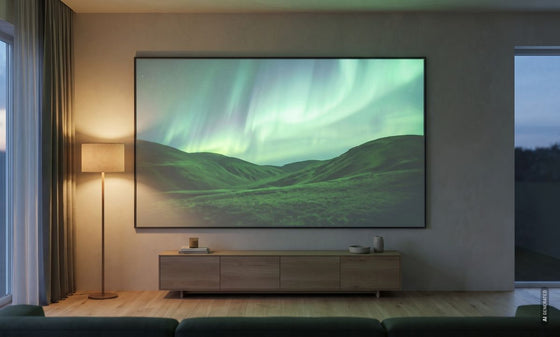 Room with ambient lightfrom 1,000 lm/m²
 Bright roomfrom 1,500 lm/m²


Borderline: at this image size the picture looks flat and low in contrast even in a darkened room – better to choose a smaller image.
Reviews
Product safety information
Manufacturer
Acer
EU responsible person
Acer Computer GmbHKornkamp 4
22926 Ahrensburg
Germany
Contact
E-Mail: info@acer.de

