


 | SKU:
1000026235
Canon MAXIFY GX4050 Ink Cartridge-Free Printer
- 1″ (3 cm) Diagonal
- USB-B Inputs
- 24 months Warranty
- 9.5 kg Weight
PayPal Klarna credit card invoice
Questions about the product?
Whether it's a conference room, school or home cinema – Dannie Tsegai Tesfai, our Projectors and displays specialist, will advise you personally and prepare an individual quote for you.
Conference room, school or home cinema: we give you personal advice and put together a tailored quote.
Dannie Tsegai TesfaiProjectors and displaysspecialist

 | SKU:
1000026235
Description
Canon MAXIFY GX4050 Ink Cartridge-Free Printer


- Ink tank printerProduct type
- AirPrint · Wi-FiWireless technology
- InkjetPrinting technology
- 600 × 1200Print resolution · dpi
The printers in the Canon MAXIFY GX Series are among the most popular MegaTank printers for businesses and home offices. We have selected the Canon MAXIFY GX4050 and the MAXIFY GX1050 as representatives of the Canon MegaTank Series for you:
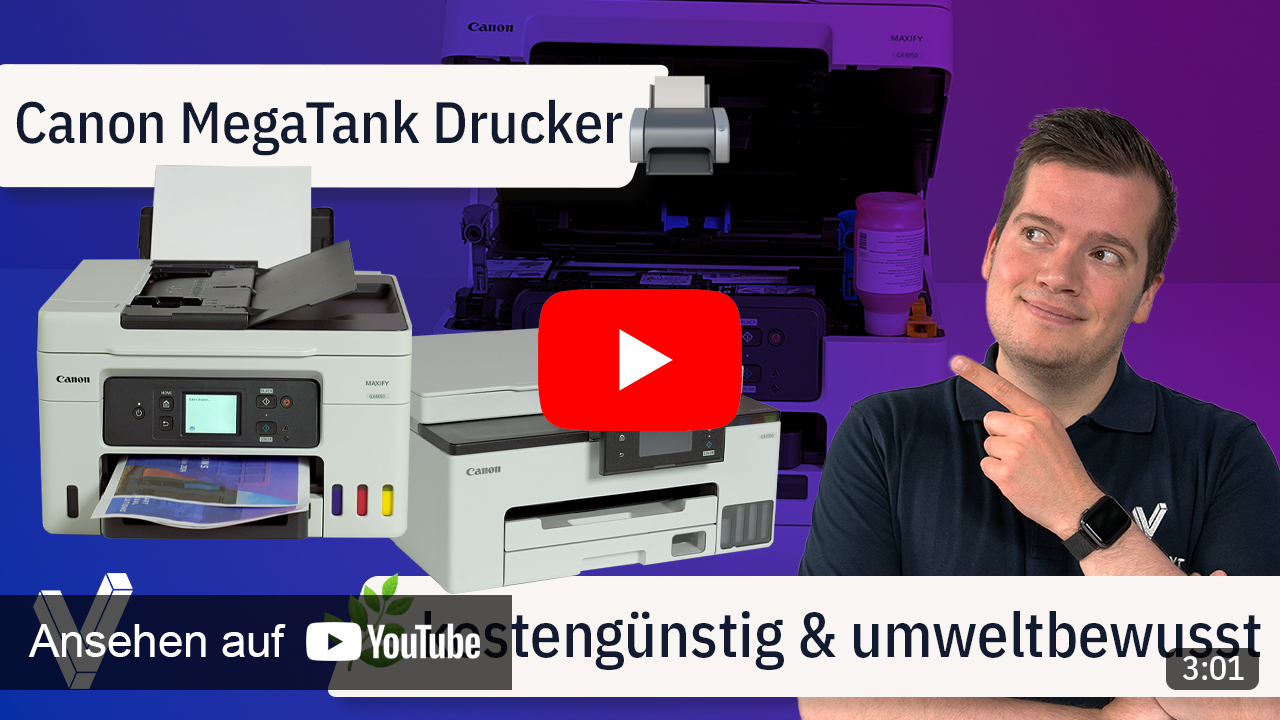
Print large quantities of high-quality business documents while significantly saving on cost per page and total cost of ownership with this easy-to-use 4-in-1 MegaTank multifunction system from the MAXIFY GX Series, featuring an ADF, LAN, and Wi-Fi.
Experience the following highlights:
- Print, copy, scan, Wi-Fi, fax, and cloud
- with refillable ink tanks
- Print resolution up to 600 x 1,200 dpi
- 1.35" monochrome LCD display
- USB and Wi-Fi interface
Excellent productivity, best-in-class cost per page and total cost of ownership
Cost per page refers to the cost incurred when printing a single page. This amount is calculated by dividing the cost of the ink by the page yield. Total cost of ownership is a calculation of the cost of a printer based on the initial hardware purchase price plus the cost of the ink over a specific period.
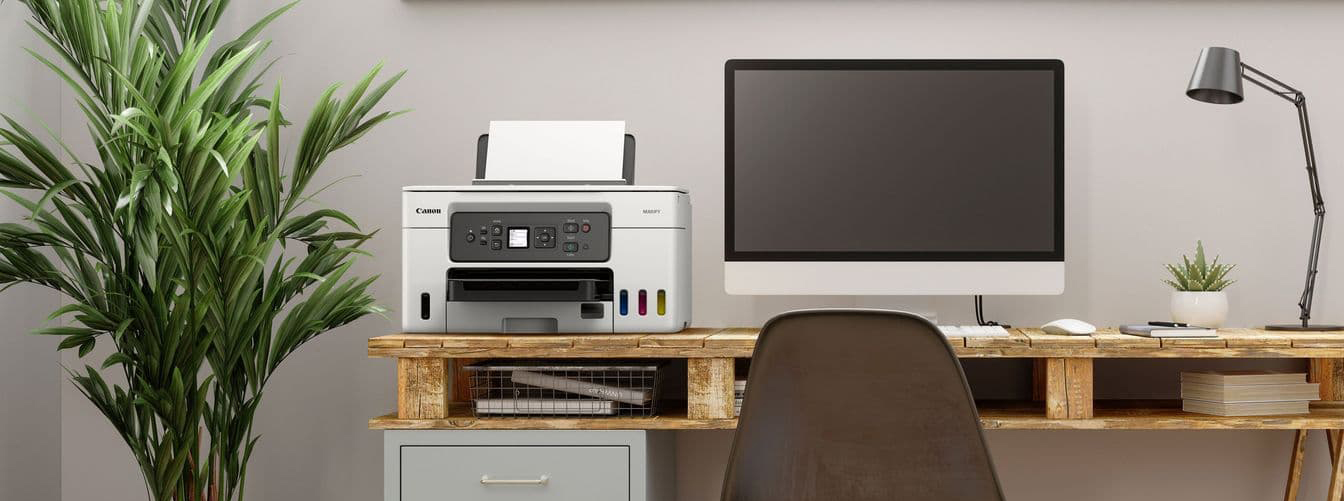
Low operating costs, high productivity
With a full set of ink bottles providing up to 14,000 prints, this powerful MegaTank printer offers enormous savings on total cost of ownership and cost per page for high-volume printing. This is a smart investment for any home office.

Home office
The MAXIFY GX Series features a compact footprint, easy connection options, and an easily accessible, user-replaceable maintenance cartridge. This makes it the ideal and efficient solution for demanding home office and hybrid work environments with high print volumes.

Retail
Reduce costs by easily printing more media in-house. Using the rear flat paper feed, which also supports thick cardstock, you can create high-quality, durable POS materials, signage, promotional banners, and hang tags.

Real estate
High-quality color flyers and brochures can be printed quickly and efficiently even in large quantities. The pigment inks ensure bright, highly legible, smudge-resistant, and crisp prints.
Educational institutions
Large quantities of course materials, durable color handouts, and administrative documents can be printed quickly and at low cost. Supervise children in one room while printing wirelessly in another.
Exceptionally low operating costs
Thanks to the cost-efficient refillable ink tanks, which significantly reduce total cost of ownership and cost per page, you save over the entire lifespan of the printer. In Economy Mode, you can print up to 1.5 times more pages with the same amount of ink.
Refilling printer ink. Here's how:
For creative use, this is everything possible with the MAXIFY GX4050:
Brilliant business-class print quality
Business prints that are water-, abrasion-, and marker-resistant, with excellent legibility, are also printed quickly in large quantities.

Print more media in-house
Print flyers, banners, and posters in-house – thanks to compatibility with a wide range of media, including magnetic paper and photo paper, and the new straight paper feed on the back, even thicker media and cardstock can be printed.

Print without interruption
Thanks to the rear 100-sheet paper feed and the front 250-sheet cassette, which features a window for quickly and easily checking the paper supply, large quantities of documents can be printed without constantly refilling paper.

Small but mighty
Thanks to the printer's compact footprint, you save valuable space at home or in the office, and by reducing the amount of plastic packaging, more can be recycled.

Exceptionally easy operation and maintenance
The user-replaceable maintenance cartridge is easily accessible from the front of the printer and reduces downtime. Color-coded, spring-loaded filling ports ensure easy and clean refilling.

Compatible apps and software
With the free Canon PRINT app, you can print documents, photos, and much more directly from your mobile device, and with PosterArtist, you can quickly and easily design your own impressive posters and flyers. With PIXMA Cloud Link, you can send scans directly to a common cloud service such as Dropbox, Google Drive, or OneDrive – or print from them.
The easy-to-use Easy-PhotoPrint Editor turns your favorite photos (directly from a device or from cloud storage) into stylish, personalized gifts such as cards and calendars.
The easy-to-use Easy-Layout Editor allows you to freely design layouts for various documents before printing. Ideal for printing images, posters, websites, and more.
Awarded the Blue Angel

Technical data
-
General
-
Condition
-
Manufacturer
-
Brand
-
Model name
-
Manufacturer part number
-
EAN
-
Product type
-
-
Image
-
Diagonal
-
-
Connections and wireless
-
Inputs1x USB-B
-
Wireless technologyAirPrint, Wi-Fi
-
-
Printing and scanning
-
Printing technology
-
Print resolution
-
Scan resolution
-
Print speed black and white
-
Print speed colour
-
Colours (print)Black, Cyan, Magenta, Yellow
-
FunctionsCopy, Fax, Print, Scan
-
DuplexPrint
-
Paper sizes10x15 cm, 13x18 cm, 20x25 cm, DIN A4, DIN A5, DIN A6, DIN B5, Legal, Letter
-
-
Energy and noise
-
Operating noise
-
Power consumption in operation
-
Power consumption standby
-
Power consumption off
-
-
Dimensions and weight
-
Dimensions (W × H × D)39.9 × 25.1 × 41.7 cm
-
Weight
-
Colour
-
-
Scope of delivery and warranty
-
Scope of deliveryPower cable, Quick guide
-
Warranty
-
Warranty type
-
WEEE number
-
Documents & downloads
Reviews
Product safety information
Manufacturer
Canon
EU responsible person
Canon Deutschland GmbHEuropark Fichtenhain A 10
47807 Krefeld
Germany
Contact
E-Mail: store.de@cc.canon-europe.com

