


 | SKU:
1000039851
Dell Pro P 22 Monitor P2226H
- IPS-Panel Display
- 1.920 × 1.080 Auflösung
- 100 Hz · 8 ms Bildrate
- 1 × HDMI · DP Anschlüsse
- entspiegelt Features
- USB-Hub bis 15 W Connections
- Höhe 150 mm + Pivot Features
Energy efficiency chart
PayPal Klarna credit card invoice
Questions about the product?
Whether it's a conference room, school or home cinema – Dannie Tsegai Tesfai, our Projectors and displays specialist, will advise you personally and prepare an individual quote for you.
Conference room, school or home cinema: we give you personal advice and put together a tailored quote.
Dannie Tsegai TesfaiProjectors and displaysspecialist

 | SKU:
1000039851
Description
Dell Pro P 22 Monitor


- 300Brightness
- 1,500:1Contrast
- 5Response time
- 100Refresh rate
Efficient office work with the Dell Pro P2226H business monitor
A reliable display is the most important basis for a productive working environment in the office or home office. The Dell Pro P2226H business monitor offers exactly the stability and overview you need to handle demanding tasks every day. Common problems such as burning eyes during long sessions or a messy desk full of cables are a thing of the past thanks to the integrated ergonomics and connectivity features. This model gives you optimum support in handling your daily workflows in a structured, focused way. Start your working day now with a perfectly tuned display.
Your benefits at a glance
- Smooth scrolling: Enjoy noticeably smoother rendering of motion and text in your daily document work thanks to the 100 Hz refresh rate.
- 4-star eye comfort: The integrated hardware technology reduces harmful blue light emissions to below 35 per cent for fatigue-free work in the office.
- IPS colour consistency: Enjoy precise details and vivid colours from almost any viewing angle thanks to proven In-Plane Switching technology.
- USB-C downstream port: Connect peripherals directly on the bottom bezel and charge accessories with up to 15 W directly at the screen.
Ergonomic flexibility for maximum productivity at the workstation
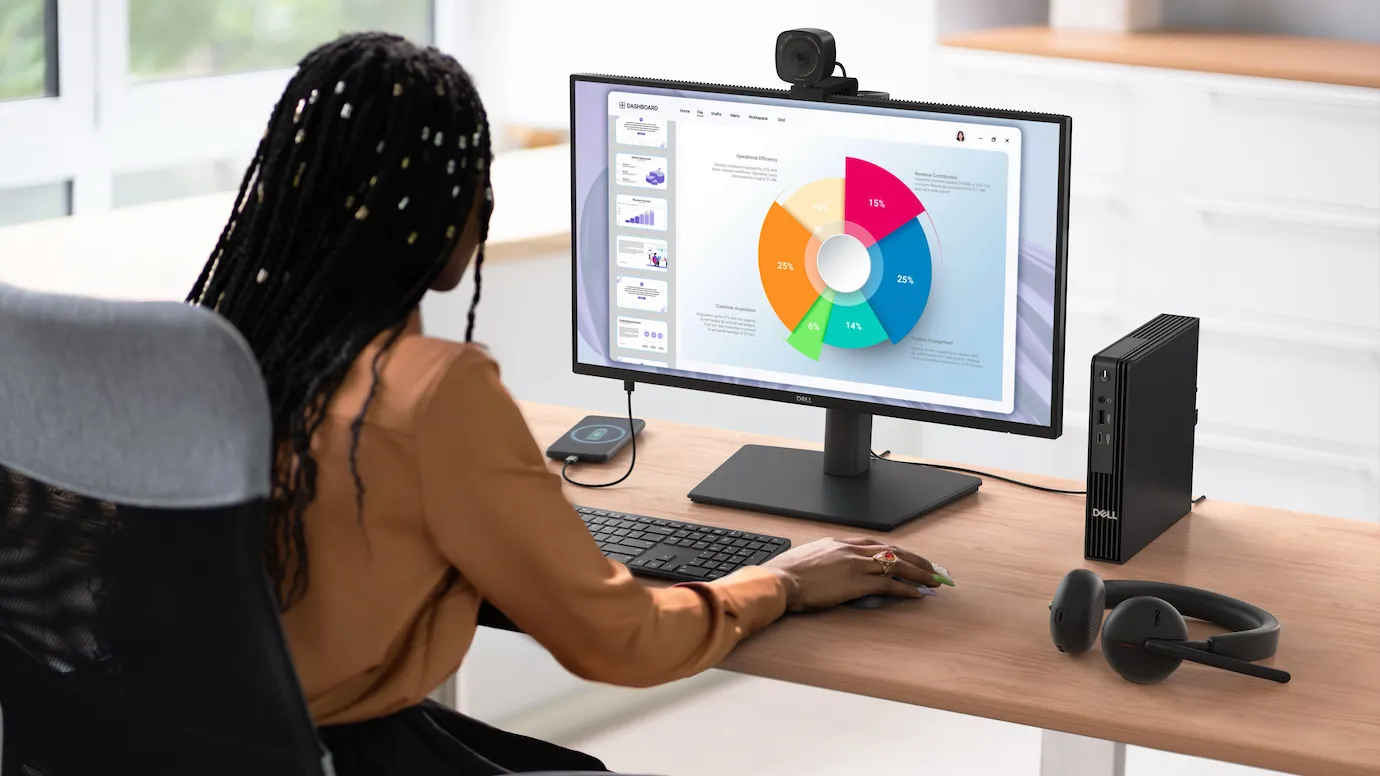
A rigid screen quickly leads to tension and fatigue in the office. The Dell Pro P2226H business monitor can be flexibly adapted to your individual sitting position to optimise your workplace ergonomically. With height adjustment of up to 150 mm, a generous tilt angle of -5° to 21° and bidirectional swivel of up to 45°, you can find the perfect alignment in no time. Thanks to the integrated pivot function, which lets you rotate the display 90° into portrait, you can read long programming code, data sheets or text documents much more comfortably. This targeted adjustability relieves your neck muscles in the long term and means you can work in a focused and efficient way over many hours. A perfectly aligned screen is the basis for a healthy and productive working environment.
First-class picture quality and eye-friendly display technology
Visual performance determines how precisely and fatigue-free you can complete your tasks. With Full HD resolution of 1920 x 1080 pixels on a compact 21.5-inch screen, this monitor delivers sharp graphics and clear fonts. IPS technology ensures uniform colours over a wide viewing angle of 178°, while 99% sRGB coverage provides realistic colour reproduction. A high contrast ratio of 1,500:1 also delivers deeper blacks and brighter whites. The real highlight for heavy typists, however, is TÜV-certified 4-star eye comfort. The combination of flicker-free images, a smooth 100 Hz refresh rate and permanent blue light reduction demonstrably minimises strain on your eyes. So your vision always stays clear and relaxed, even on long and intensive working days.
Intelligent connectivity and well-thought-out device management
Modern workstations demand fast connection options for a wide variety of hardware components. The Dell Pro P2226H business monitor acts as a versatile hub on your desk, offering an integrated USB hub alongside DisplayPort 1.4 and HDMI 1.4. Particularly practical are the easily accessible ports on the lower bezel, giving quick access to a USB-A and a USB-C downstream port. This lets you easily charge your smartphone or headset with up to 15 W directly at the screen. For IT administrators, the system also offers advanced tools for remote management and automatic firmware updates in sleep mode via the Dell Display and Peripheral Manager. The useful EasyArrange function also lets you organise up to five application windows simultaneously in preset layouts, which noticeably simplifies multitasking.
Our verdict: the reliable choice for your everyday office work
The Dell Pro P2226H business monitor is the ideal tool for all users looking for a compact, ergonomic and eye-friendly screen for everyday use. With its combination of a smooth 100 Hz refresh rate, precise IPS display and well-designed USB interfaces, it noticeably simplifies the organisation of your daily tasks. If you have questions about the best integration into your existing working environment or need help choosing the right accessories, we are happy to help. We advise you on your project easily by email or phone. Contact us for personal support with your purchase.
Technical data
-
General
-
Condition
-
Manufacturer
-
Brand
-
Model name
-
Manufacturer part number
-
EAN
-
Product type
-
Product series
-
-
Image
-
Panel technology
-
Diagonal
-
Resolution
-
Aspect ratio
-
Brightness
-
Contrast ratio
-
Response time
-
Refresh rate
-
Viewing angle horizontal
-
Viewing angle vertical
-
-
Connections and wireless
-
Inputs1x DisplayPort, 1x HDMI, 1x USB-B
-
Outputs1x USB-C, 3x USB-A
-
-
Mounting and furniture
-
VESA standard100 x 100
-
-
Energy and noise
-
Energy efficiency class
-
Energy label range
-
EPREL ID
-
Power consumption in operation
-
Power consumption standby
-
Power consumption off
-
Power consumption max.
-
-
Dimensions and weight
-
Dimensions (W × H × D)48.8 × 28.6 × 5 cm
-
Weight
-
Colour
-
-
Scope of delivery and warranty
-
Scope of deliveryDisplayPort cable, Power cable, USB-A to USB-B cable
-
CertificatesTÜV tested
-
Warranty
-
Warranty type
-
Documents & downloads
Reviews
Product safety information
Manufacturer
Dell
EU responsible person
Dell GmbHMain Airport Center Unterschweinstiege 10
60549 Frankfurt am Main
Germany
Contact
E-Mail: DE.CustomerSupport@dell.com

