


 | SKU:
1000026027
Neat Pad Touchscreen for Zoom or Microsoft Teams Meeting Rooms
- 8″ HD touch Display
- controller · room booking Use
- PoE · Wi-Fi Connection
- Zoom · Teams Platforms
PayPal Klarna credit card invoice
Questions about the product?
Whether it's a conference room, school or home cinema – Dannie Tsegai Tesfai, our Projectors and displays specialist, will advise you personally and prepare an individual quote for you.
Conference room, school or home cinema: we give you personal advice and put together a tailored quote.
Dannie Tsegai TesfaiProjectors and displaysspecialist

 | SKU:
1000026027
Description
Neat Pad


- EthernetInputs
- Touch displayProduct type
- 1280 × 720Resolution · HD Ready
- 19.8 × 4.2 × 12.7 cmDimensions (W × H × D)
Neat Pad is a simple and elegant touchscreen that lets you control your meetings or show room availability outside the room. With its slim design, including the ideal screen angle for smooth interaction and viewing, Neat Pad fits in beautifully anywhere, whether on a table, a wall or a post. Powered by a single Power over Ethernet cable, Neat Pad never runs out of battery. It is always on, ready for you to spring into action.
Experience the following highlights:
- 8" HD touchscreen
- LED status indicator
- 2 microphones
- PoE support
- Wi-Fi
- Light and air quality sensor
Room availability.
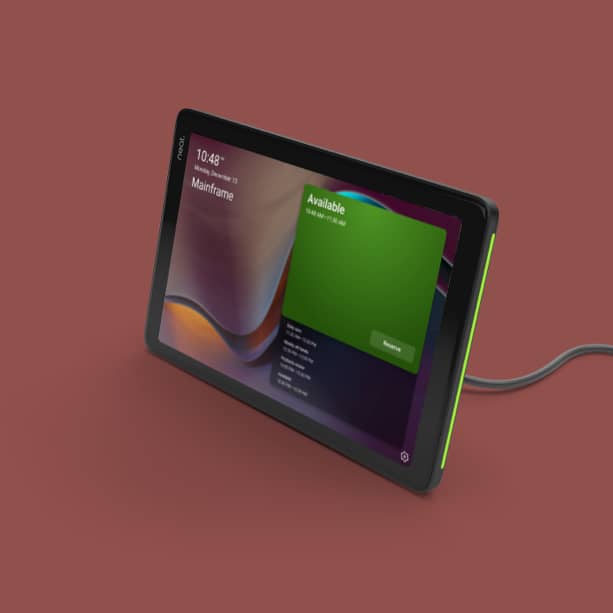
You can install Neat Pad outside your meeting room for optimum room management. Configure Neat Pad as a scheduling display for your Zoom Rooms or as a panel for your Microsoft Teams Rooms, or even deploy Neat Pad to make your non-video meeting rooms bookable, provided you have the appropriate platform licence. You can book the room instantly without searching through your other calendar systems, and integrated LED indicators show room availability at a glance, even from down the corridor.
Meeting control.
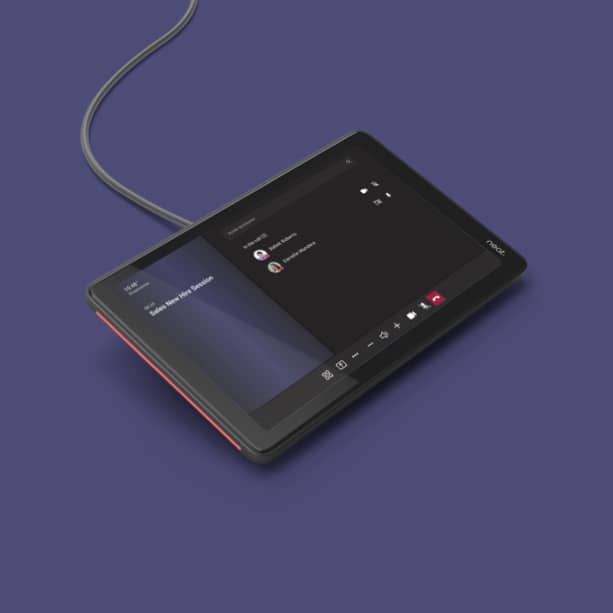
As a controller, Neat Pad lets you start your meetings quickly and share your screen with a single tap. Configure Neat Pad as a controller for your Zoom Rooms or as a console for your Teams Rooms. You can also invite participants, mute when needed or record your meetings. And when connected to a third-party Zoom Rooms system, it not only replaces a conventional tablet controller but also offers superior features.
Easy setup.
Neat Pad comes with a wall mount and a side mount, so anyone can install and set it up easily. Use the wall mount to attach Neat Pad to the wall of your meeting room. The side mount lets you attach Neat Pad to the edge of your door frame or a post. With just one Power over Ethernet cable, Neat Pad is always alert and ready for use.

It just works.
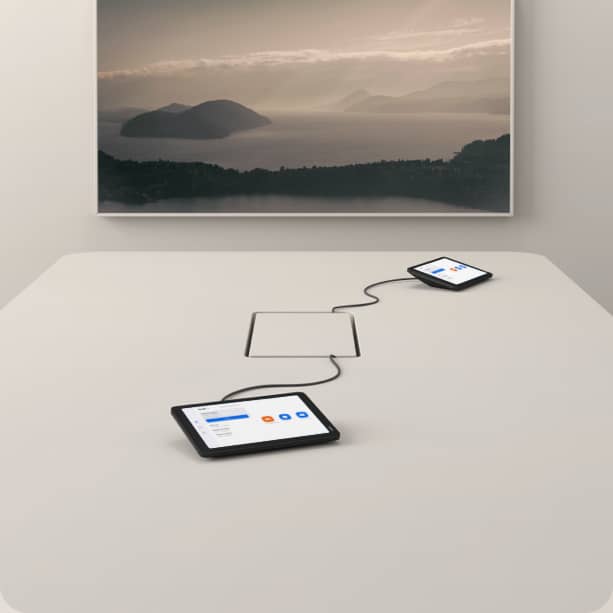
Configured as a controller, Neat Pad ensures every meeting room is always ready. You can add several Neat Pads so everyone has access to the controls from anywhere at the table. And in an upcoming software release, Neat Pad’s two built-in microphones will enable improved audio pickup on all Neat systems.
Technical data
-
General
-
Condition
-
Manufacturer
-
Brand
-
Model name
-
Manufacturer part number
-
EAN
-
Product type
-
-
Image
-
Diagonal
-
Resolution
-
-
Connections and wireless
-
Inputs1x Ethernet
-
Wireless technologyWi-Fi
-
-
Dimensions and weight
-
Dimensions (W × H × D)19.8 × 4.2 × 12.7 cm
-
Weight
-
Colour
-
-
Scope of delivery and warranty
-
Scope of deliveryPower cable
-
Warranty
-
Warranty type
-
WEEE number
-
Documents & downloads
Reviews
Product safety information
Manufacturer
Neat
EU responsible person
Legrand Care GmbHRobert-Bürkle-Straße 3
85737 Ismaning
Germany
Contact

