


Question not listed?
We are happy to advise you – including a quote for schools, public authorities and companies.
Get advice Advice: +49 221 719981-0


 | SKU:
1000037141
Samsung WA65FX-P 65" Interactive Display is always included 1.892,18 €
Together
Tax includedShipping calculated at checkout.
The items have different delivery times and will arrive in several shipments.
Questions about the product?
Whether it's a conference room, school or home cinema – Dannie Tsegai Tesfai, our Projectors and displays specialist, will advise you personally and prepare an individual quote for you.
Conference room, school or home cinema: we give you personal advice and put together a tailored quote.
Dannie Tsegai TesfaiProjectors and displaysspecialist
 | SKU:
1000037141
Samsung WA65FX-P 65" Interactive Display

As certified AV media specialists at Beamer-Discount, we recommend the Samsung Interactive Display WAFX-P if you are looking for a future-proof, powerful solution for hybrid learning and working environments. This 65-inch touchscreen display is more than just an interactive board – it is a central collaboration hub designed specifically to solve the typical challenges in the classroom or meeting room. Thanks to the combination of the fast Android™ 15 interface and EDLA certification, you benefit from smooth performance and full access to all Google services.
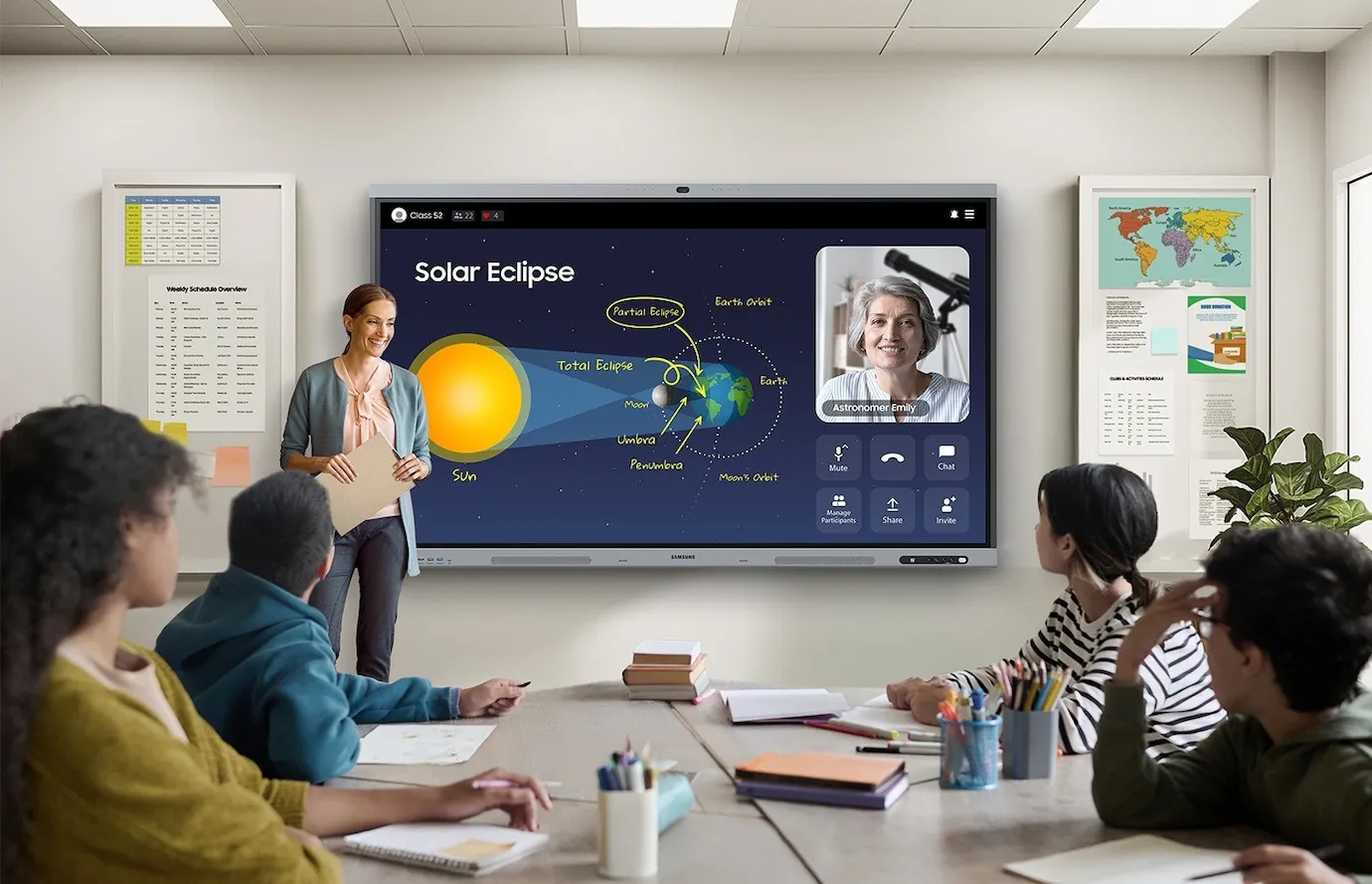
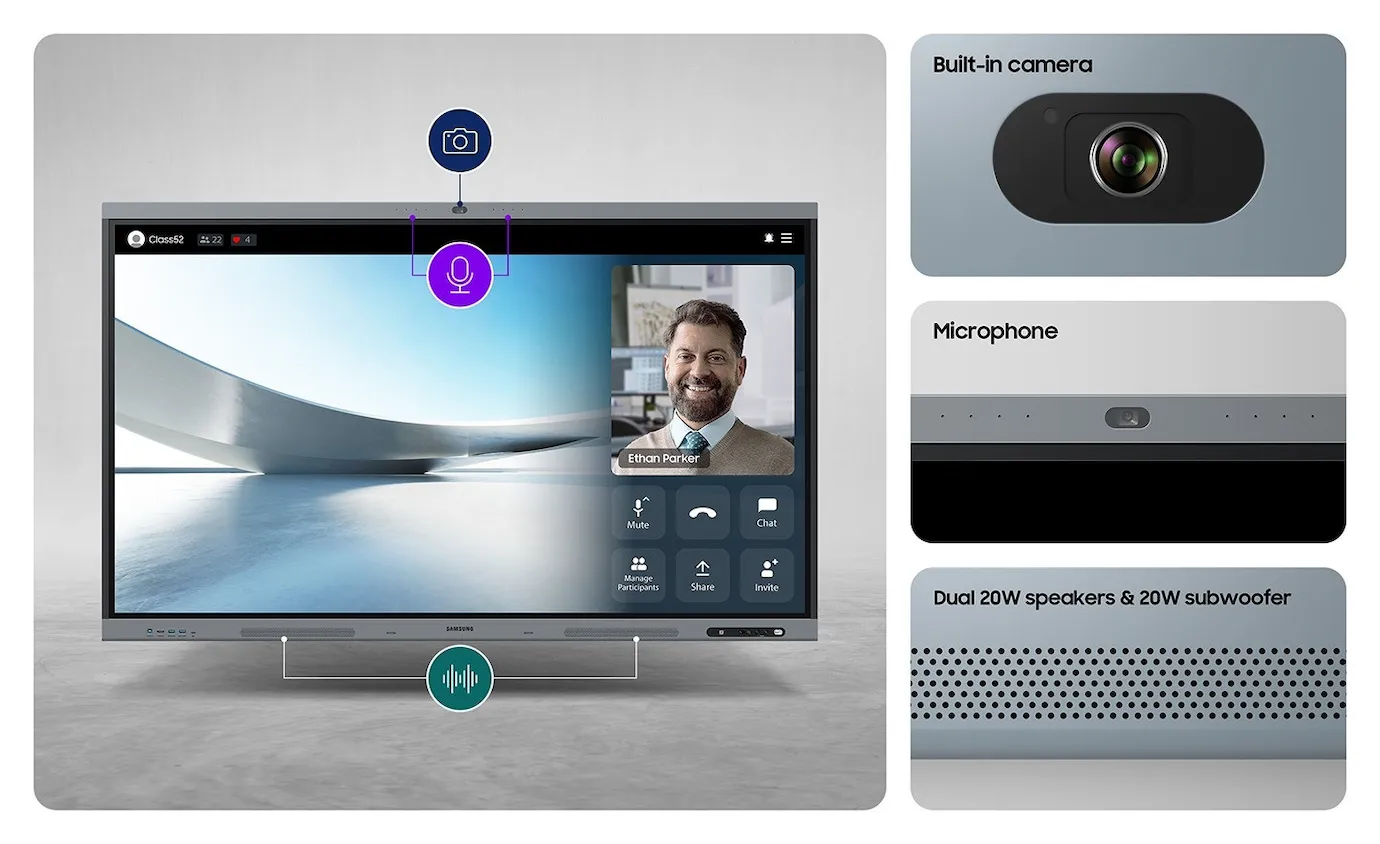
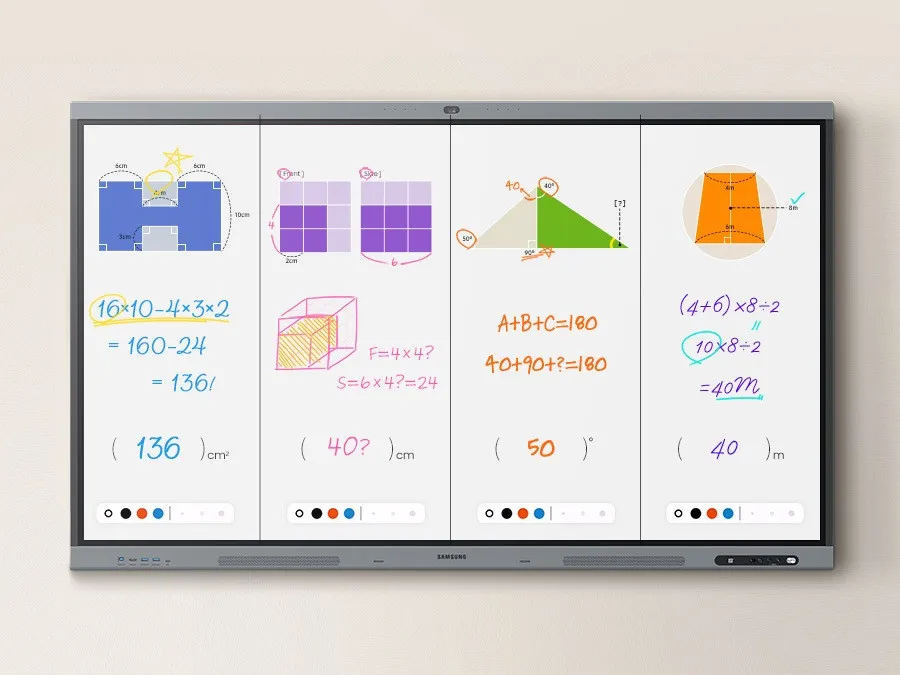
A common problem in hybrid environments is the complicated set-up of video conferences. The Interactive Display WAFX-P solves this with its fully integrated all-in-one video call system. The built-in 48 MP camera with auto-framing always keeps the speaker in focus, while the powerful microphone clearly captures voices from up to 10 metres away. This allows teachers and business users to start remote collaboration without delay and without having to connect external cameras. Paired with Fast & Precise Writing technology, the display offers a lag-free, paper-like writing feel. The quick Annotation On feature even lets you take notes directly on the screen at any time without interrupting the current session. This smooth interplay of visual and acoustic transmission and easy note-taking creates a superior overall experience in every teaching or meeting situation.
To ensure truly intuitive and fast use, the WAFX-P relies on the combination of Android™ 15 and an octa-core CPU. This architecture guarantees smooth performance that handles even demanding multitasking scenarios with ease. The decisive advantage, especially for educational institutions, is EDLA certification. This ensures that the display can seamlessly access all Google apps and services and delivers an optimised learning and collaboration experience. Teachers can use their familiar tools and students can access relevant content immediately. In addition, the clever AI Write & Search function speeds up your workflow like nothing else. Simply highlight handwritten notes on the screen and tap the search icon to retrieve web content, images and more instantly – a huge time saver in lessons or spontaneous brainstorming sessions.
Complex cable clutter and cumbersome connections are a thing of the past. The 3-in-1 USB-C port supports touch control, display connection and charging of your device (up to 65W) with just a single cable. This not only simplifies set-up but also increases the longevity of your hardware. For educational institutions or large companies, the WAFX-P also offers a proprietary Device Management System (DMS) that enables centralised management of all displays. This ensures stable, efficient operation across the entire campus, including the ability to send instant announcements or emergency messages to all devices. For users who prefer their familiar Windows operating system, a fully fledged Windows PC can also be integrated via the OPS slot.
The Interactive Display WAFX-P sets a new standard for interactive screens. It combines the smooth performance of Android™ 15 with the central user-friendliness of EDLA certification and, thanks to the all-in-one video call system, delivers an unrivalled solution for hybrid scenarios. With its integrated device management system, it also offers a clear competitive advantage in terms of management and security. For a long-lasting, future-proof solution, the WAFX-P is the perfect investment. We accompany you every step of the way: from the initial consultation to media technology planning, you get everything from a single source at Beamer-Discount.
Answers from the user manual, the data sheet and our customers' questions. Checked on 11.11.2026.
We are happy to advise you – including a quote for schools, public authorities and companies.
Get advice Advice: +49 221 719981-0Produktdaten / Datenblatt
Produktdaten / Datenblatt
Produktdaten / Datenblatt
Produktdaten / Datenblatt
Produktdaten / Datenblatt
Manufacturer
Samsung
EU responsible person
Samsung Electronics GmbHContact
E-Mail: info@samsung.de

As certified AV media specialists at Beamer-Discount, we recommend the Samsung Interactive Display WAFX-P if you are looking for a future-proof, powerful solution for hybrid learning and working environments. This 65-inch touchscreen display is more than just an interactive board – it is a central collaboration hub designed specifically to solve the typical challenges in the classroom or meeting room. Thanks to the combination of the fast Android™ 15 interface and EDLA certification, you benefit from smooth performance and full access to all Google services.
A common problem in hybrid environments is the complicated set-up of video conferences. The Interactive Display WAFX-P solves this with its fully integrated all-in-one video call system. The built-in 48 MP camera with auto-framing always keeps the speaker in focus, while the powerful microphone clearly captures voices from up to 10 metres away. This allows teachers and business users to start remote collaboration without delay and without having to connect external cameras. Paired with Fast & Precise Writing technology, the display offers a lag-free, paper-like writing feel. The quick Annotation On feature even lets you take notes directly on the screen at any time without interrupting the current session. This smooth interplay of visual and acoustic transmission and easy note-taking creates a superior overall experience in every teaching or meeting situation.
To ensure truly intuitive and fast use, the WAFX-P relies on the combination of Android™ 15 and an octa-core CPU. This architecture guarantees smooth performance that handles even demanding multitasking scenarios with ease. The decisive advantage, especially for educational institutions, is EDLA certification. This ensures that the display can seamlessly access all Google apps and services and delivers an optimised learning and collaboration experience. Teachers can use their familiar tools and students can access relevant content immediately. In addition, the clever AI Write & Search function speeds up your workflow like nothing else. Simply highlight handwritten notes on the screen and tap the search icon to retrieve web content, images and more instantly – a huge time saver in lessons or spontaneous brainstorming sessions.
Complex cable clutter and cumbersome connections are a thing of the past. The 3-in-1 USB-C port supports touch control, display connection and charging of your device (up to 65W) with just a single cable. This not only simplifies set-up but also increases the longevity of your hardware. For educational institutions or large companies, the WAFX-P also offers a proprietary Device Management System (DMS) that enables centralised management of all displays. This ensures stable, efficient operation across the entire campus, including the ability to send instant announcements or emergency messages to all devices. For users who prefer their familiar Windows operating system, a fully fledged Windows PC can also be integrated via the OPS slot.
The Interactive Display WAFX-P sets a new standard for interactive screens. It combines the smooth performance of Android™ 15 with the central user-friendliness of EDLA certification and, thanks to the all-in-one video call system, delivers an unrivalled solution for hybrid scenarios. With its integrated device management system, it also offers a clear competitive advantage in terms of management and security. For a long-lasting, future-proof solution, the WAFX-P is the perfect investment. We accompany you every step of the way: from the initial consultation to media technology planning, you get everything from a single source at Beamer-Discount.
